
How to Upload a Game Save
How to Upload a game save to your Factorio Server
Section titled “How to Upload a game save to your Factorio Server”Play your favorite factory with friends!
Find your Save Game File and Upload it
Section titled “Find your Save Game File and Upload it”- Save games are stored as a .zip file. You can find them in your folder directory under C:\users\you\appdata\roaming\factorio\saves
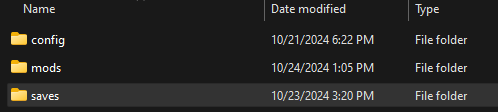
- Log in the nitro panel and stop your server.
- Then in the Files Tab, click on the saves folder. Here you can upload the .zip file of the save you would like to use.
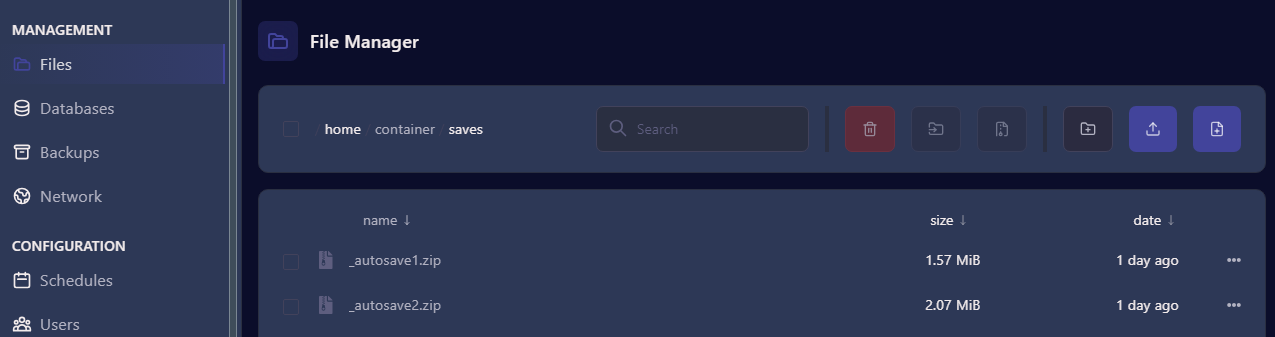
- You can upload from the file tab or use a FTP like cyberduck.
Update Your Server
Section titled “Update Your Server”- In the Startup Tab of the Nitro Panel Scroll Down to the Save Name Entry Field
- Enter the name of the save you would like to use.
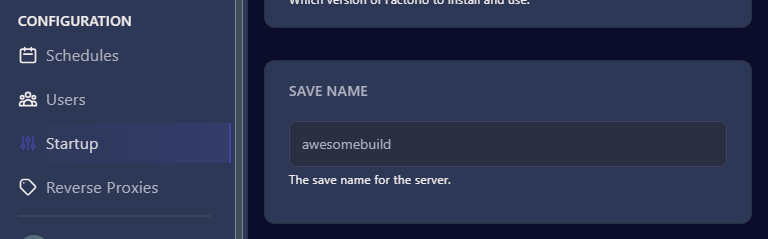
- Click out of the Save Name Field and Start your server.
- Join your server and the game will use the settings, map and progress from the selected save.