
Admin Commands
How to Use Admin Commands
Section titled “How to Use Admin Commands”Authorize Admin Access in Game
Section titled “Authorize Admin Access in Game”After setting up the admin password in the console under the startup menu, complete the following steps below
- Log in to your server in palworld
- Open the chat by pressing Enter
- Type: ‘/AdminPassword {yourchosenpassword}’
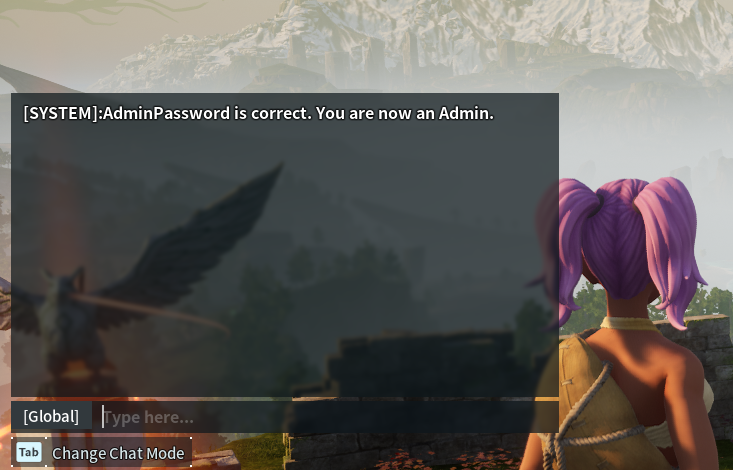
If successful, you will get a SYSTEM confirmation message
Admin Commands
Section titled “Admin Commands”| Command | Description |
|---|---|
/Shutdown {Seconds} {MessageText} | Shuts down server with an optional timer and/or message to notify players in your server. |
/DoExit | Forcefully shuts down the server immediately. It is not recommended. |
/Broadcast {MessageText} | Broadcasts a message to all players in the server. |
/KickPlayer {PlayerUID or SteamID} | Kicks player from the server. Useful for getting a player’s attention with moderation. |
/BanPlayer {PlayerUID or SteamID} | Bans player from the server. The player will not be able to rejoin the server until they are unbanned. |
/TeleportToPlayer {PlayerUID or SteamID} | In-game only. Immediately teleport to the target player. |
/TeleportToMe {PlayerUID or SteamID} | In-game only. Immediately teleports target player to you. |
/ShowPlayers | Shows information on all connected players. |
/Info | Shows server information. |
/Save | Save the world data to disk. |