
How to Delete and Archive Saved Game Data
How to Delete or Archive Save Data
Section titled “How to Delete or Archive Save Data”You may want to delete your saved game data if you wish to start a new game on your server. You can also archive your save data if you want to revert your game back to a previous save or download the data off of your server for future use.
How to Delete Save Data
Section titled “How to Delete Save Data”- Log in to the nitro console and stop your server from the console.
- Click the file tab and navigate to Pal/Saved/SaveGames. In the SaveGames Folder, there will be another folder called 0 . This is your saved game data.
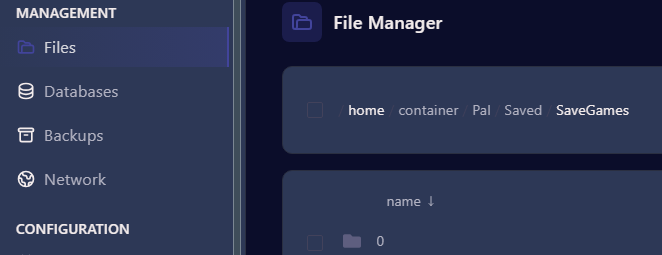
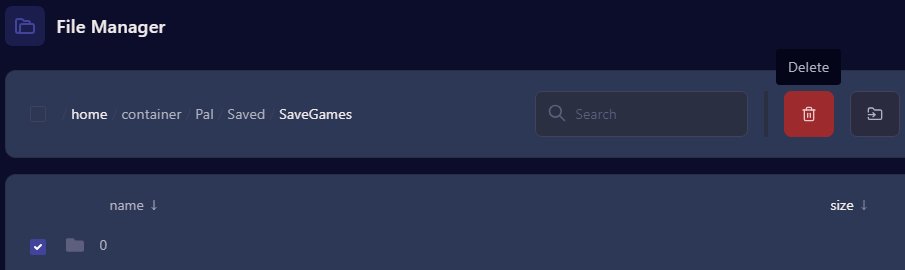
- To delete, select the 0 folder and at the bottom of the screen you will see three options to Move, Archive or Delete. Click Delete and the folder will be removed from your server.
- Go back to the console and restart your server. When you launch the game and log into your server it will prompt you to start a new game.
How to Archive and Download Save Data
Section titled “How to Archive and Download Save Data”- Click on the File Tab in the Nitro Panel and Navigate to the 0 folder in the Pal/Saved/Savegames.
- Select the 0 folder and click Archive below.
- This will create a zip file below the 0 folder.
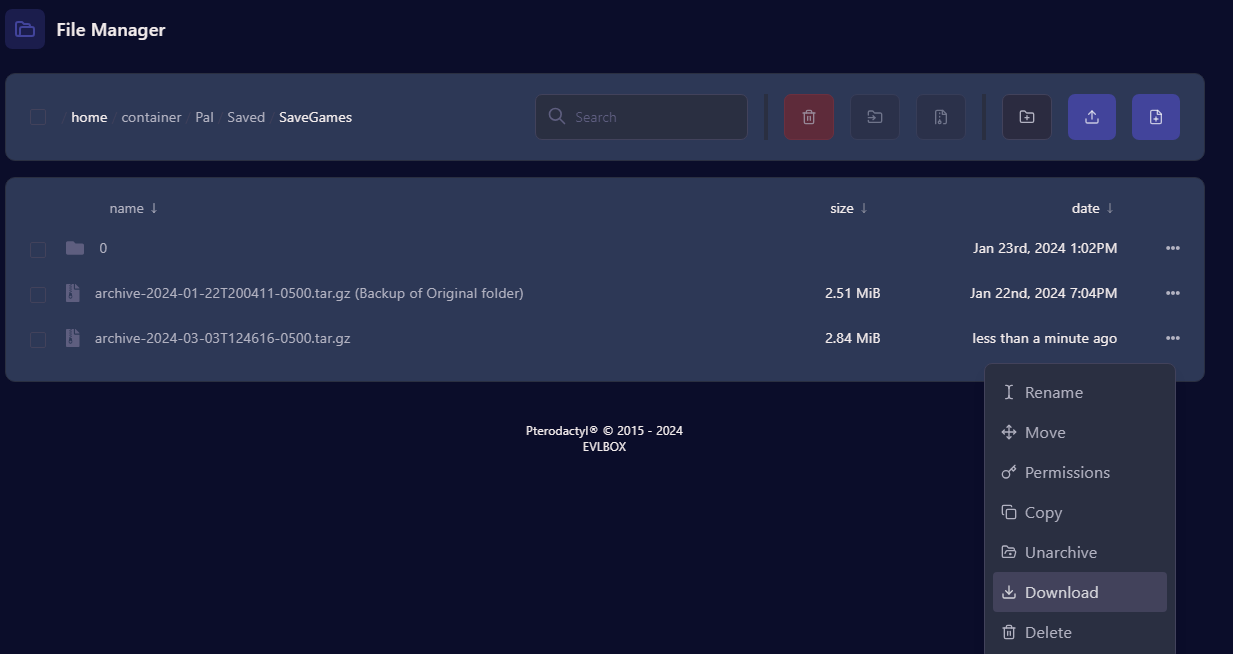
- Click the 3 dots next to the tar.gz file and from there you can download it for future use.
For Information on backing up your server data please see Article - Creating Backups