
Server Name and Password
To change your server name and password, simply click Startup and edit the Server Name or password field. Then restart your server.
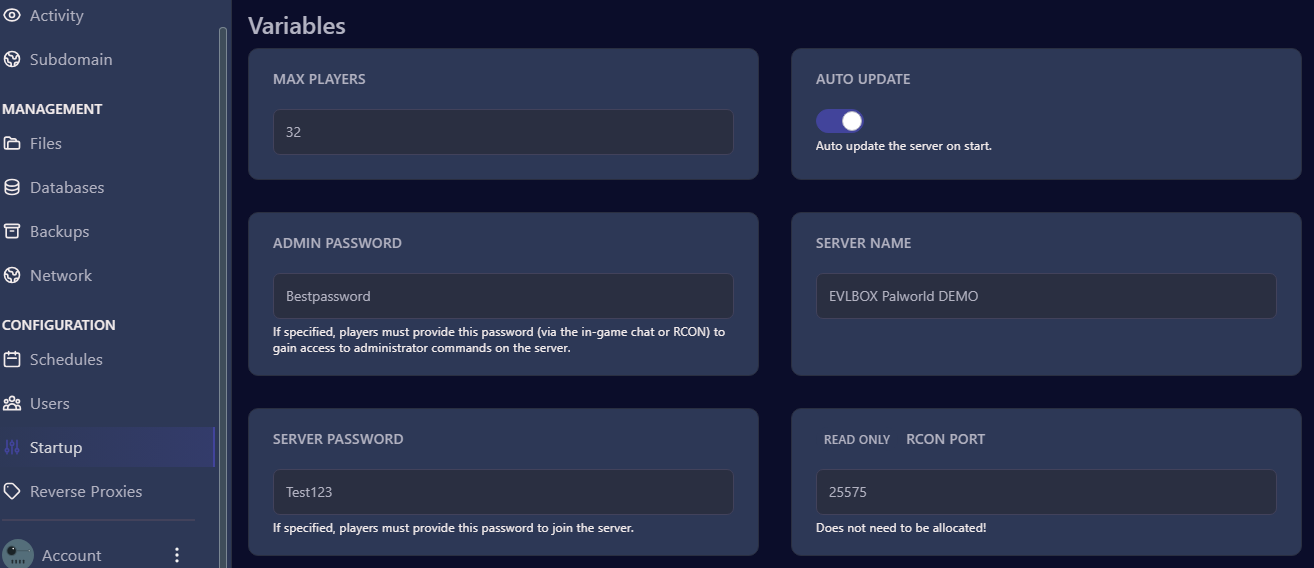
To clear your server password, just leave your server field blank. Also make sure that Pal/Saved/Config/LinuxServer/PalWorldSettings.ini does not have a password set!
Connecting to a Password Protected Server
Section titled “Connecting to a Password Protected Server”With the latest Palworld Updates, there is now a check box that will now prompt you for a server password

Previously people were able to connect through this workaround that allows you to save your server password to your cache, and then log into your server using the IP address, please see this document for a step-by-step walkthrough Workaround for Direct IP Connect to a Password Enabled Server