
Connect to your Foundry Server
How to Connect to Your FOUNDRY Server
Section titled “How to Connect to Your FOUNDRY Server”Connecting to your FOUNDRY server hosted by EVLBOX is simple, whether you prefer the direct connection method or using the in-game server browser. We recommend using the direct method for the most reliable experience.
🔗 Direct Connection (Recommended)
Section titled “🔗 Direct Connection (Recommended)”The direct method uses your server’s IP and port and is the most consistent way to join your server.
Step-by-Step Instructions
Section titled “Step-by-Step Instructions”-
Log in to Nitro Panel
Go to the EVLBOX Nitro Control Panel and log in with your credentials. -
Access Your Server
On the dashboard, click on your FOUNDRY server to open its management interface. -
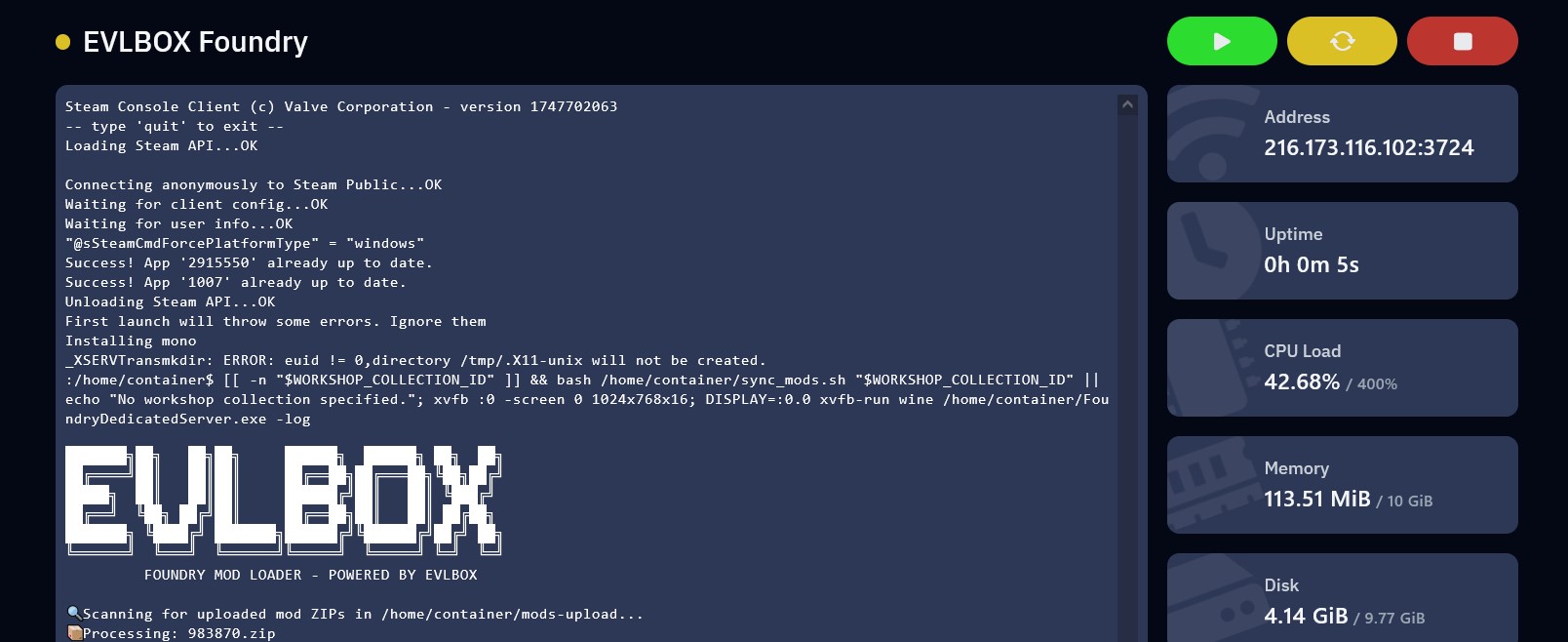
Copy the Server Address
In the Terminal section, click on the address string—this will automatically copy the IP and port to your clipboard.
-
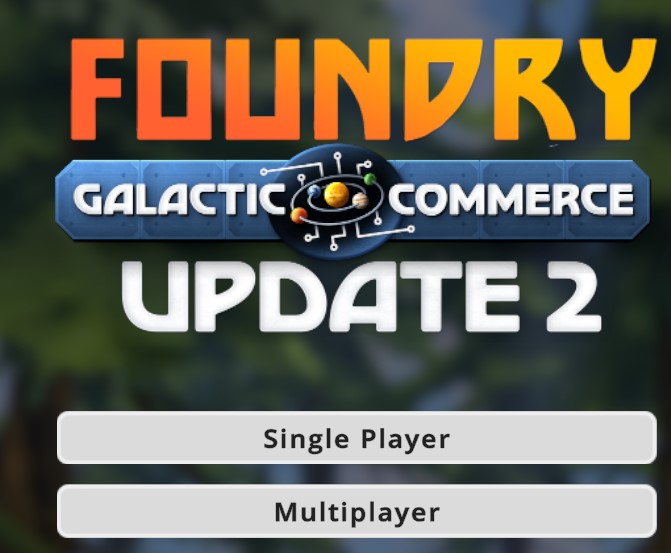
Launch the Game
Open FOUNDRY, and from the main menu click on Multiplayer.
-
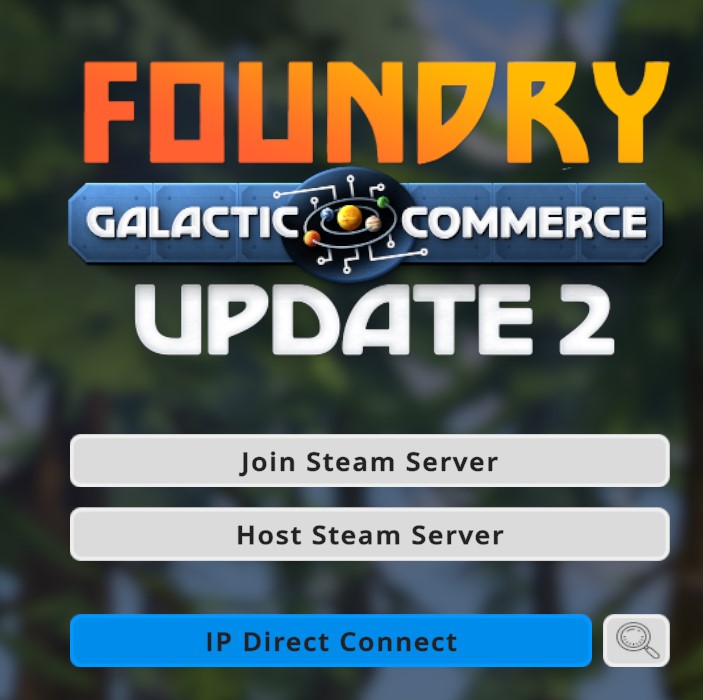
Open the Direct Connection Window
Select the IP Direct Connect button.
-
Enter IP and Port
Paste the IP in the Address field and the port in the Port field (do not include the port in the address field).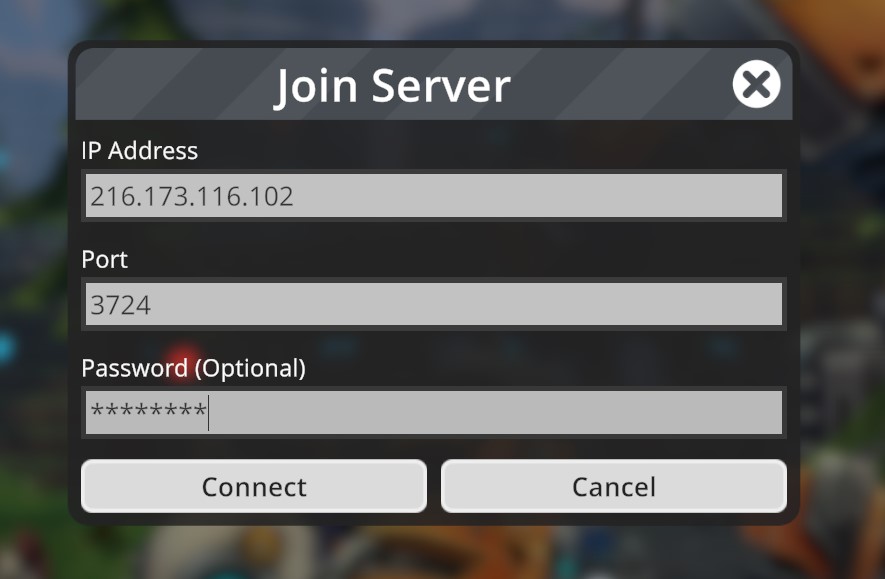
-
Enter Password (If Needed)
If your server is password-protected, enter the password when prompted.
🌐 Connecting via the Server Browser
Section titled “🌐 Connecting via the Server Browser”This method allows you to browse public servers, including yours—but it may be harder to find due to current limitations.
-
Open the Server Browser
From the main menu, click Multiplayer, then select the tiny button next to Direct Connect to open the Server Browser.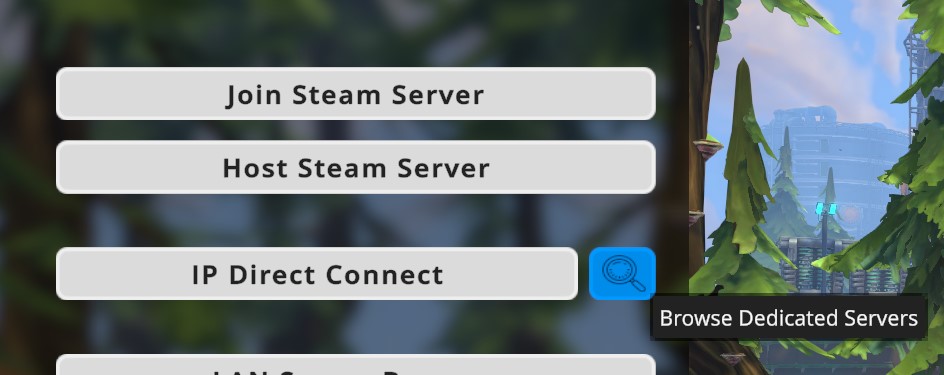
-
Sort by Latency
Since there is currently no search function, sorting by Latency helps bring your server closer to the top. -
Check Server Name in App.cfg
Your server’s name is defined in theApp.cfgfile inside Nitro → Files. Look for theserver_name=field. You can edit this name to something memorable. -
Find and Join Your Server
Once found, click your server, enter the password (if applicable), and start playing!
💡 Need More Help?
Section titled “💡 Need More Help?”If you’re still having trouble connecting, check out our other helpful guides or reach out to our support team. Get a FOUNDRY server today and enjoy reliable hosting with built-in support from EVLBOX!