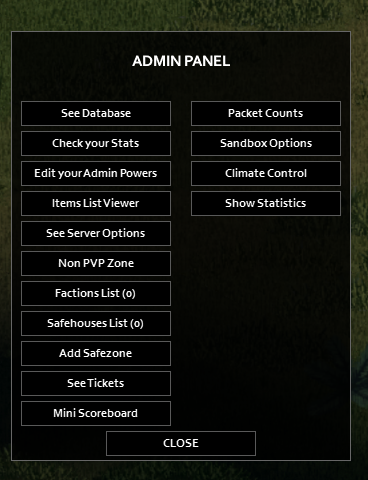
How to access the admin panel for Project Zomboid
The admin panel allows users to manage player interactions, enforce server rules and adjust game settings.
To access the admin panel, the user must first be granted admin access from the server console. See more information on admin permissions here: How to Add Admin permissions
How to view the Admin Panel
Section titled “How to view the Admin Panel”-
Log in to the game as admin
-
Your character will display “Admin” next to their name and you will see an Admin button in the side panel menu.

-
Click on the button to open the admin panel