
Use Steam Collections to Sync Mods
How to Create a Mod Collection in Foundry to Sync Mods with Friends
Section titled “How to Create a Mod Collection in Foundry to Sync Mods with Friends”Foundry currently does not support automatically sending mods to players who join a server. This means all players must manually install and enable the same mods to ensure compatibility. If players have mods the server does not, they will be prompted to disable them (which is fine). However, if the server has mods a player lacks, they won’t be able to connect.
To make this easier, you can use Steam Collections to sync your mod list across players. Here’s how:
Step-by-Step Guide to Creating a Mod Collection
Section titled “Step-by-Step Guide to Creating a Mod Collection”1. Find a Mod You Like on the Foundry Workshop
Section titled “1. Find a Mod You Like on the Foundry Workshop”- Visit the Foundry Steam Workshop.
- Click the “Add to Collection” button on the mod page.
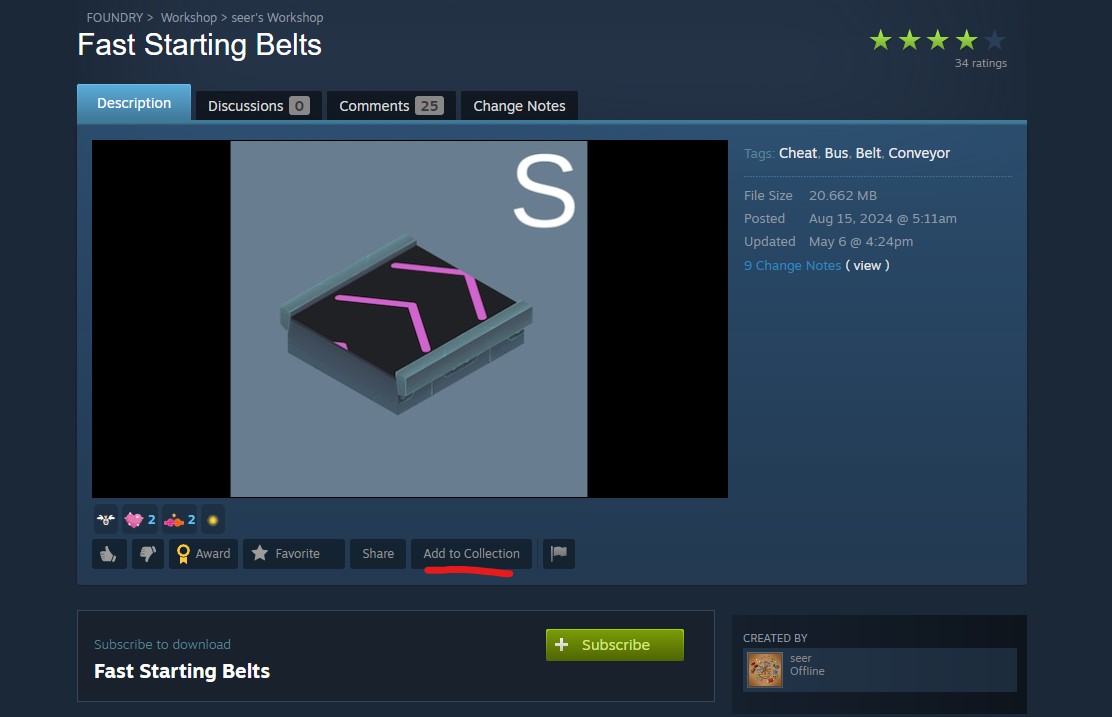
2. Create a New Collection (If You Don’t Have One)
Section titled “2. Create a New Collection (If You Don’t Have One)”- When you click “Add to Collection” for the first time, Steam will prompt you to create one.
- Click the “here” text link to begin the creation process.
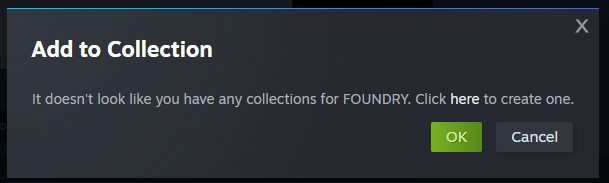
3. Fill Out the Collection Details
Section titled “3. Fill Out the Collection Details”- Add a fun image that represents your group (must follow Steam’s content policies).
- For “What kind of collection is this?”, choose “Items that work together”.
- Choose a category — “Library” is a good default if you’re unsure.
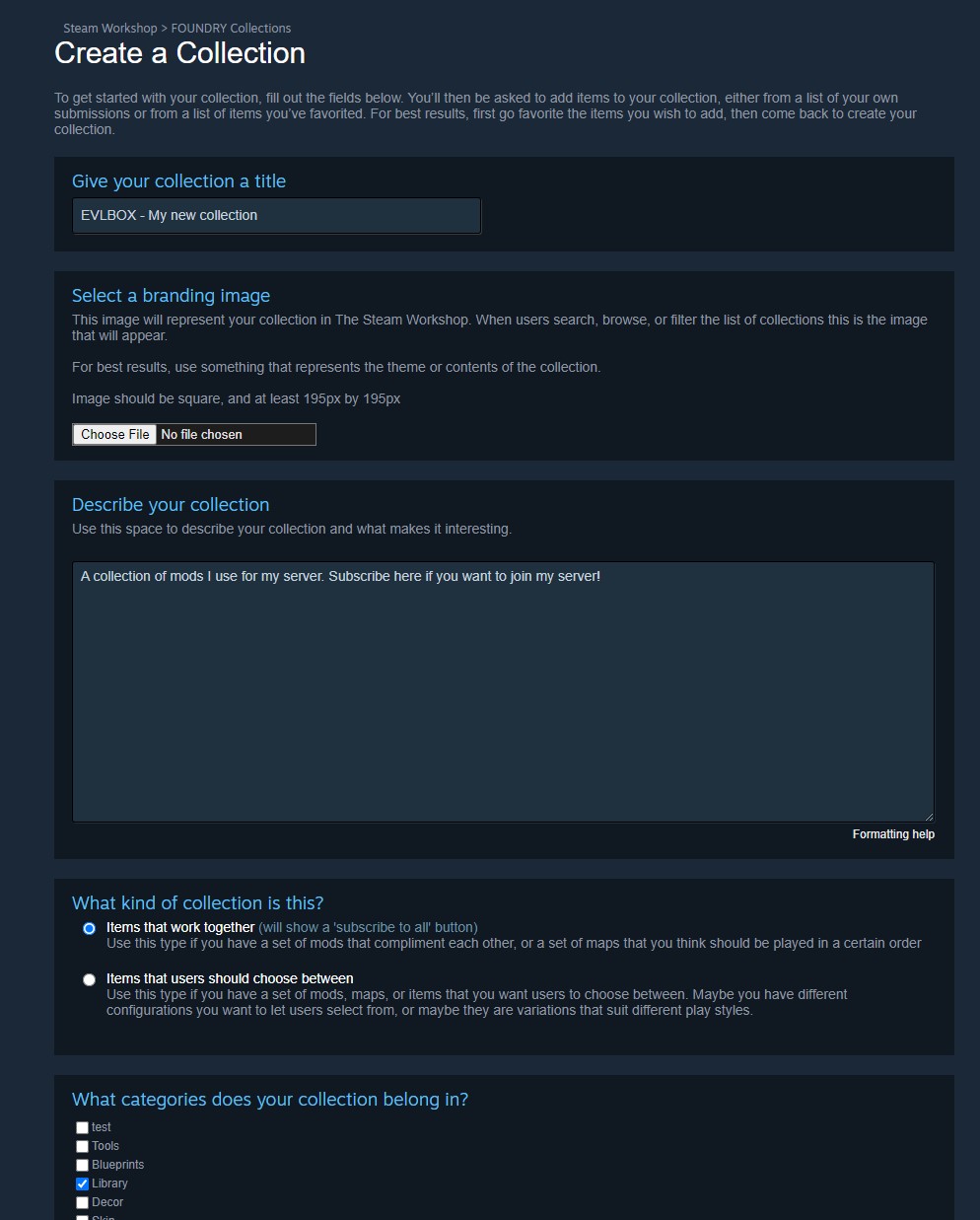
4. Add Mods to Your New Collection
Section titled “4. Add Mods to Your New Collection”- Return to any workshop mod you want to include.
- Click “Add to Collection” again.
- Select your new collection, check the box, and click OK.
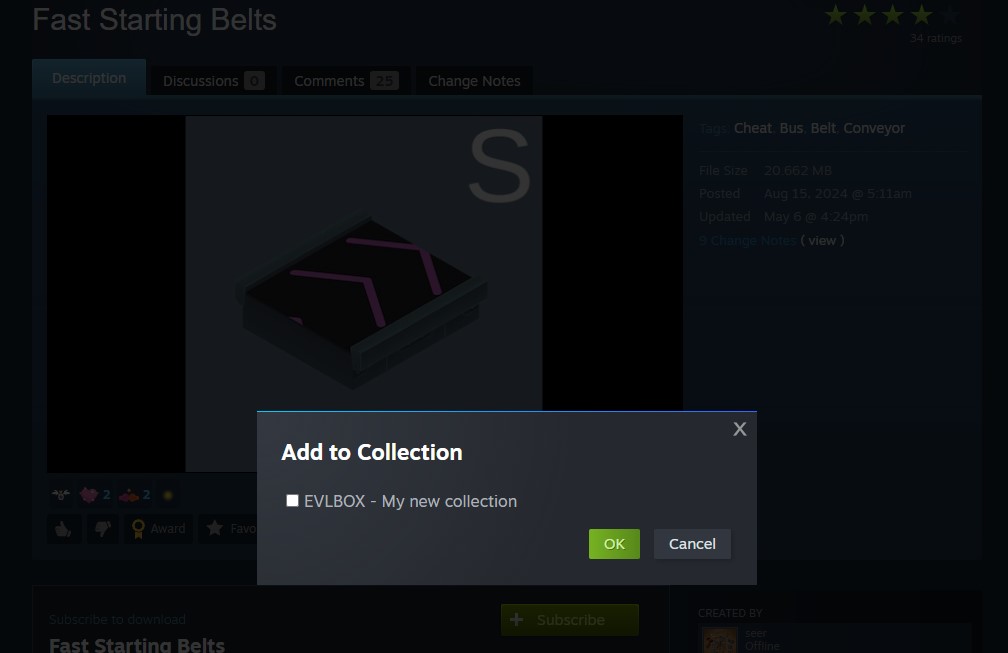
5. Locate Your Collection on Your Steam Profile
Section titled “5. Locate Your Collection on Your Steam Profile”- Go to your Steam Profile → Workshop Items.
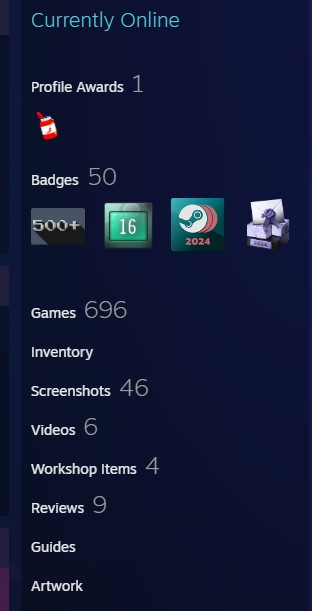
6. Open and Publish Your Collection
Section titled “6. Open and Publish Your Collection”- Click on the “Collections” tab.
- Open your collection and click “Publish” at the top.
- Set the visibility (right sidebar) to Friends Only or Public as needed.
Note: Steam may take a few minutes to approve a new collection.
7. Share with Your Friends
Section titled “7. Share with Your Friends”- Friends can access your Steam profile → Workshop → Collections.
- When they subscribe to your collection, they’ll automatically get the same mods.
What’s Next?
Section titled “What’s Next?”We’re working to integrate Steam Collection support directly into the EVLBOX Mod Loader. Soon, your players will be able to install all mods in one click!
Need help installing mods? Check out our guide:
👉 How to Add Mods to Foundry
Get Your Own Foundry Server with EVLBOX
Section titled “Get Your Own Foundry Server with EVLBOX”Run your own Foundry server with EVLBOX and enjoy high-performance modded gameplay with friends.
🌐 Get a Foundry Server Now