🔥 ENSHROUDED 1.0 IS HERE: servers rebuilt for 1.0, every setting in the panel, and a year of any game on the new Flex plan.
Palworld Crossplay Is Live: Your Console Friends Can Finally Join Your Server
We just shipped the biggest update to our Palworld servers since we started hosting them. And the headline feature is the one you've been asking us for since day one:
Xbox and PS5 players can now join your Palworld server.
That's right. Full crossplay — Steam, Xbox, PS5, and Mac, all catching Pals on the same server, all arguing about who gets the next Legendary sphere. Let's get into it.
Console Crossplay: How It Actually Works
Here's the thing about consoles: they have no way to type in an IP address. None. Your buddy on PS5 could stare at your server IP all day and there's simply no box to put it in. So even though Palworld added crossplay support, console players could only join servers listed in the in-game Community Servers browser.
So we built that right into the panel. There's a new Community Server toggle in your server's Startup tab — flip it on, restart, and your server shows up in Palworld's community list where your console friends can search for it and join. Flip it off and you're unlisted again, joinable by IP like always.
New servers start unlisted by default, because nobody wants to spin up a fresh world and immediately have some random named "xX_PalReaper_Xx" move in next door. Your server, your call.
And if you want to get picky about who's allowed in, there's a new Crossplay Platforms dropdown: everyone, PC-only, console-only, or a single platform. Pair it with a server password and your listed server stays friends-only.

Every Single World Setting, Right in the Panel
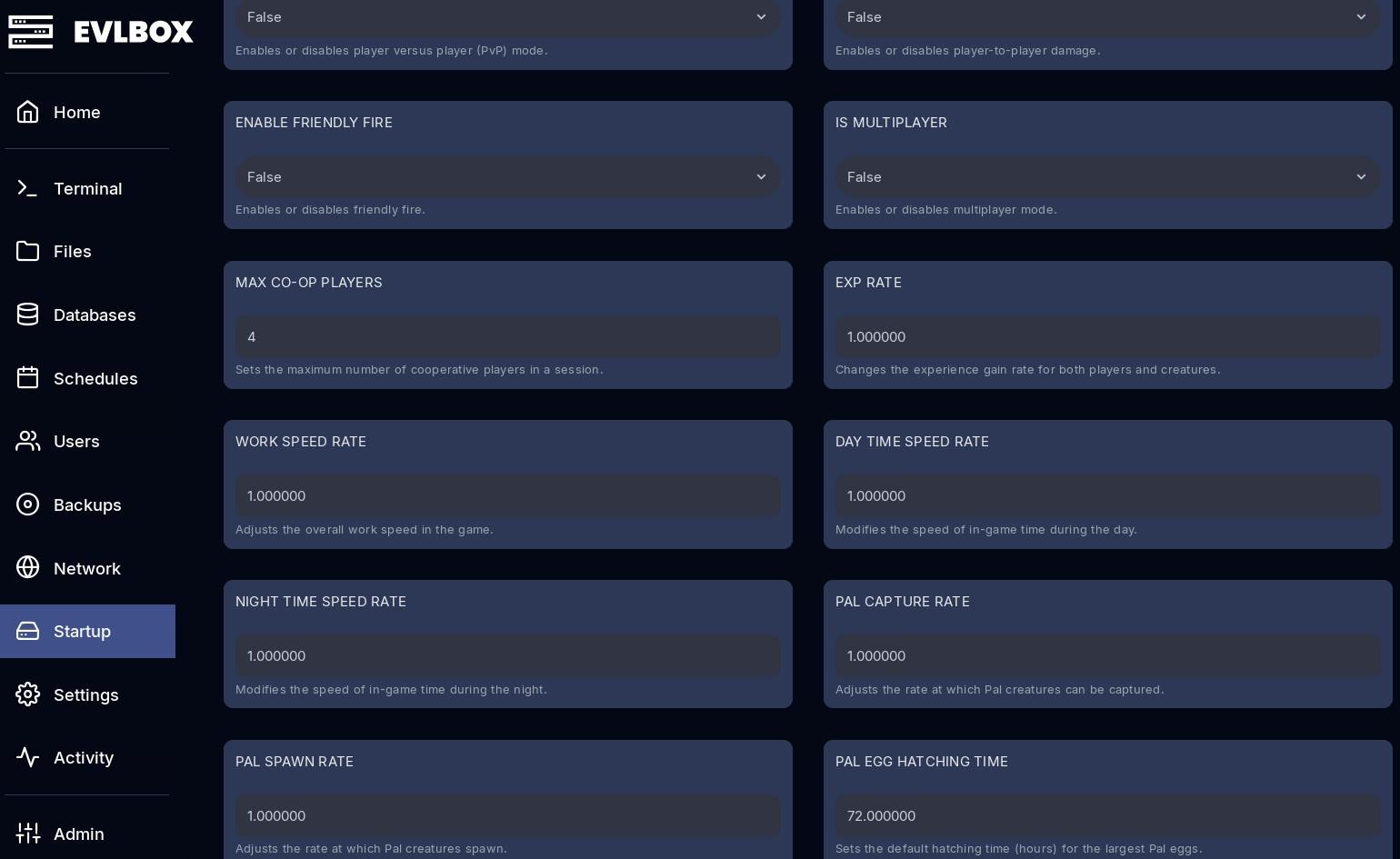
This one's for the tinkerers. Palworld has a ton of world settings — XP rates, capture rates, day/night speed, raid toggles, egg hatching times, guild limits, hardcore mode, the works. Previously, the panel covered some of them and the rest meant spelunking through a config file and praying you didn't typo something.
Not anymore. Every world setting — 90+ of them — is now editable from the Startup tab. No config files, no copy-pasting from forum posts. They're organized into sensible groups (server stuff first, then game rules, rates, world, building), and settings with fixed choices are proper dropdowns and toggles now, so you can't accidentally set your death penalty to "potato."
Whatever you set in the panel gets applied automatically every time your server starts. Want triple XP and no structure decay for your casual weekend crew? Two dropdowns and a restart. Done.
We also put together a full reference of every setting in our docs, with defaults and what each one does.
Your Save Data Is Safer Now
Less flashy, arguably more important: stopping or restarting your server now does a proper graceful shutdown. The server gets a heads-up, saves the world cleanly, and then exits.
Palworld has a dirty little secret — it only reliably saves on a clean shutdown. The old behavior was more of a "yank the power cord" situation, which could eat recent progress. Now your 3 AM breeding session survives the restart. You're welcome.
While we were in there, we also squashed a batch of long-standing gremlins:
- Fixed an issue where some settings quietly didn't apply no matter what you set them to
- New servers no longer come with a mystery join password preset (yes, that was a thing, no, we don't want to talk about it)
- Refreshed everything under the hood so we're ready for whatever Palworld's 1.0 release throws at us
Existing customers: you've already been migrated, and all your custom settings came along for the ride. You don't need to do anything — except maybe flip that crossplay toggle.
Go Get Your Console Friends
That friend who's been sitting on the couch with a controller saying "I'd play Palworld if I could join your server"? They're out of excuses.
Full setup takes about a minute — here's the step-by-step crossplay guide. Don't have a server yet? Grab a Palworld server and you and the crew (PC, Xbox, PS5, whoever) can be in-game tonight.
Questions? Come yell at us in our Discord. We're friendly. Mostly.
- Authors