 🔥 ENSHROUDED 1.0 IS HERE: servers rebuilt for 1.0, every setting in the panel, and a year of any game on the new Flex plan.
 Host
HostValheim Server Hosting
Order a Valheim dedicated server and it's usually running about five minutes later. You get 6GB of RAM, 2 fast Ryzen cores, 20GB of NVMe, and full file access so you can install BepInEx yourself. We bill for resources, not player slots. Backups run every two hours whether you remember to set them up or not.
What you get on a Valheim dedicated server
One plan. Everything listed is included at the price you see, and there's no bigger tier holding features back.
6GB RAM
No player-slot capValheim supports 10 players out of the box. We don't add a cap on top of that. If you want to raise it with a mod, go ahead, that's your call. RAM ends up being the real limit, and you can add more whenever you like without a restart.
How much RAM does a Valheim server need?
2GB will start a world. 4GB will run a small group. After that it depends on how much of the map you have been through, because the server keeps loaded chunks of it in memory. A world a few hundred hours deep needs more than one you made last night.
2GB
The official minimum for the dedicated server. It boots, and it will hold a fresh world for two or three people. There is nothing left over for mods or a serious base.
4GB+ for 3–5 players
Where you want to start once people are playing rather than testing. What drives it up is the map you have uncovered and the base you have built, not the hours on the clock.
6GB as standard
Room for a full group of 10, a base worth defending, and a mod list, without you having to think about it. If you do need more later it is $2/mo per GB from the billing portal, and adding it does not restart your server.
What a Valheim server costs
Renting a Valheim server from us is $16 a month for 6GB. That buys you a month. It is not a three-day trial price, and it is not the headline number attached to the smallest plan we sell.
Pay monthly, or take the discount for paying quarterly, twice a year, or yearly. Extra RAM runs $2/mo per GB if a mod list needs it. Los Angeles costs $2 more because the hardware there costs us more. That is the whole price list.
Where the money goes
- 6GB DDR4 RAM
- Included
- 2 Ryzen CPU cores, 20GB NVMe
- Included
- 12 backup slots, every 2 hours
- Included
- Full file access & BepInEx
- Included
- GameSwap to another game
- Included
- Extra RAM, added any time
- +$2/mo per GB
- Los Angeles location
- +$2/mo
7-day money-back guarantee. Not happy in the first week? Open a ticket in Discord or the client portal and we will refund you.
Running mods on your server
You get raw file access from the first minute, through the Nitro Panel's file manager or over SFTP. Drop in BepInEx, install a Thunderstore pack, edit configs, pull a world save down to your desktop. None of that is locked behind a bigger plan.
Mods cost memory, and the heavy lists cost a lot of it. That is the one place 6GB can start to feel tight. Adding more is $2/mo per GB from the billing portal, and it will not restart your world.
Crossplay or mods, pick one
Nobody tells you this up front, so we will. Turning crossplay on moves Valheim's networking over to PlayFab. BepInEx hooks into the Steam networking path instead, so with crossplay enabled it never loads and none of your mods run.
There is no clever way around it. If someone in your group is on a console, crossplay stays on and the server runs vanilla. If everyone is on Steam and you want mods, crossplay comes off.
It is a startup flag, so you are not locked into whichever way you go. And if you would rather work it out before you buy, we would rather that too. Ask us first.
Done with Valheim? Swap the game, keep the world.
Most groups play Valheim hard for a month or two, kill the boss they were after, and then stop. That's just how the game goes. The problem is what happens next. Everywhere else you cancel, and when you come back the world is gone.
We built GameSwap so you don't have to do that. Freeze Valheim and we archive the whole thing off your server. Your world, your configs, your mods, all of it. Something else runs on the box in the meantime. Whenever you're ready, hit restore and your Viking is right where you left off.
It's on every server we run. No new order, no extra bill, and one freeze slot free. So the 6GB you pay for doesn't have to sit there being a Valheim server all year. Point it at whatever your group is playing.
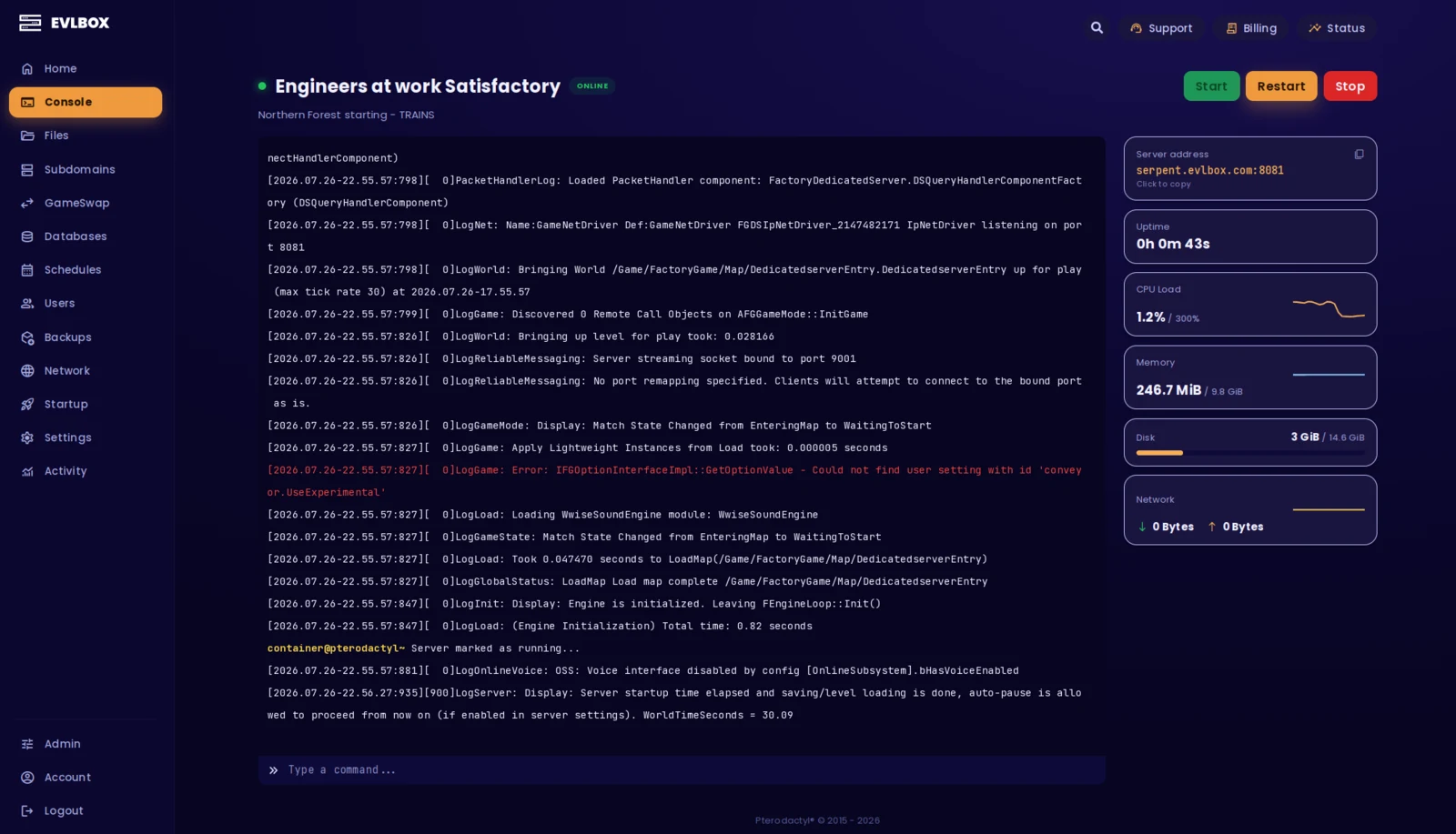
The Nitro Panel
Based on Pterodactyl.io, our control panel is packed with features and style, helping you control your server with ease and precision.
Valheim server locations
Three in the United States (Dallas, Los Angeles and New York Metro) and one in Falkenstein, Germany. Valheim runs on dodge rolls and parries, and ping decides whether those land, so pick the location closest to the people playing rather than the one closest to you.
You can test all four from your own connection before you spend anything.

Getting started is easy
Select a Plan
Choose the right plan for your gaming session. This may be based on the number of players joining your server or the amount of resources the game and you will need.
Choose a Location
Depending on where you and your friends are playing from, select a location that is best for you. You can easily check your ping before buying to see the ping time of the connection from your location.
Select a billing Cycle
Choose to pay monthly, or receive a discount on quarterly, semi-annual, or yearly payment plans
Review the Specs
Review the options for Port, Memory and CPU Cores and select different options to customize the server for your gaming experience. Lots of friends joining you? You may want to increase the RAM accordingly.
Pick a Name and Complete your transaction
Name your server so your friends can find and connect to your game easily. Complete your purchase and you will receive an email within minutes with links to your server and Nitro Panel
Customize on the fly
Need to add another Gig of RAM, or add an extra CPU core? You can add/remove resources to your server at any time through our Billing Portal. No server restart needed!
Rated 4.6/5 on Trustpilot
Questions?
How much does it cost to host a Valheim server?
$16/mo for a 6GB Valheim dedicated server at EVLBOX, billed monthly, with a discount if you pay quarterly, twice a year or yearly. That buys you a month. It isn't a three-day trial price, and it isn't a starting number that only applies to some smaller plan. Extra RAM is $2/mo per GB if you want it. There's no per-slot pricing and no charge for backups, mods or file access. Los Angeles costs $2 more.
How much RAM does a Valheim server need?
Iron Gate's official floor is 2GB, which is enough to start a world and not much else. In practice you want 4GB for a group of three to five, because memory use climbs as you explore and more of the map stays loaded. We ship 6GB as standard so a full group, a serious base and a few mods all fit without you having to think about it. Extra GB are $2/mo each if a big mod list needs them, and adding them doesn't restart the server.
Can I add more CPU cores?
You can go up to 4 cores total at $3/mo per extra core. For most people it won't change anything, and we'd rather tell you that than take the money. Valheim's simulation is largely single-thread-bound, so clock speed does more for it than core count. If your world is stuttering, more cores usually aren't the fix. They do earn their keep on heavy mod lists, on anything running as a second process next to the server, and when backups are pulling against a busy world. One thing worth being precise about, in case you ever benchmark it: you're buying CPU time, not a pinned core. Four cores means up to four cores' worth of CPU time from the node, not four cores sat there with your name on them. We stop at four because past that it stops meaning much for a game server.
Can you host a Valheim server yourself?
Yes. Valheim ships a free dedicated server tool on Steam, and Iron Gate publishes a guide for running it on Windows or Linux. It's a fine option if you're comfortable with port forwarding and you're happy with the world only being online while that machine is. What you pay us for is the stuff that gets old fast. A box that stays up when your PC doesn't. Backups that happen without you remembering. An address that doesn't change on your friends. Someone to talk to on a Friday night when it won't start.
Where can I host a Valheim server for free?
There are two free routes and both cost you something. You can run the dedicated server tool on your own PC, which costs no money but means the world is down whenever that machine is off, and your home IP is what your friends connect to. Or you can take a free trial from a host, which is normally time-limited, memory-limited, and wiped when it runs out. Free is fine for a weekend of testing. It's not where you put a world you still want to be playing in six weeks.
What is the best Valheim server host?
We're not going to tell you it's us. Ask any host you're looking at: do they charge per player slot or per resource, can you get raw file access to install BepInEx yourself, how often do backups run and how many do they keep, is there a location near the people playing, can you reach an actual person when something breaks, and what happens to your world when the group takes a break. Ask us the same things. Ask everyone else on this page of results too.
Which platforms can join my server?
PC on Steam, Windows Store and Game Pass, plus Mac, Linux and Xbox, all on the same server with crossplay turned on. Iron Gate has more platforms coming and we'll support crossplay for whatever the game supports. We're not going to list a console here before it ships, so ask us if you want the current answer.
How many players can join my server?
Valheim supports 10 players out of the box and we don't add a cap on top of that. We sell RAM and CPU rather than player slots, so nothing on your server is counting seats. If you raise the limit with a mod, that's your call. RAM becomes the practical limit at that point, and you can add more whenever you like without a restart.
How do backups work, and how many do I get?
Every server comes with 12 backup slots and a backup job that runs every 2 hours. It's set up automatically when your server deploys, so there's nothing for you to configure. Twelve slots on a two-hour schedule gives you a rolling day of restore points, and you can change the schedule or restore any of them yourself from the Nitro Panel. Backups only run while the server is running, so a stopped server isn't being backed up. They're stored off-site rather than on your server, so losing the machine doesn't mean losing the world.
Can I upload my own files and mods?
Yes. You get full file access through the Nitro Panel and over SFTP, so BepInEx, Thunderstore packs, config files and your own world saves are all yours to upload and edit. We don't gate file access behind a higher plan.
What is your refund policy?
Our game servers have a 7 day refund policy. If you're not happy with the service you can cancel within the first 7 days and get a full refund. Refunds aren't automatic, so open a ticket with us, either in our Discord or through the client portal, and a person will sort it out. You need to request it within the first month of service. Services that have been in use for a month or have already renewed aren't eligible.