 🔥 ENSHROUDED 1.0 IS HERE: servers rebuilt for 1.0, every setting in the panel, and a year of any game on the new Flex plan.
 Host
HostProject Zomboid Server Hosting
Order a Project Zomboid dedicated server and it's usually running about five minutes later. 3GB of RAM you can grow, 2 fast Ryzen cores, 25GB of NVMe, and full file access so the Workshop list is yours to edit rather than ours to approve. We bill for memory, not player slots. Your survivor is still going to die — the server will still be there when you roll a new one.
Jumping to Build 42? Freeze your Build 41 world for free and keep both builds side by side. See how ↓What you get on a Project Zomboid dedicated server
One plan, configurable from the moment you order. Everything listed is included at the price you see, and there is no bigger tier holding a feature back.
3GB RAM
Grows to 16GBProject Zomboid has no hard player cap, so we don't invent one to sell you. Memory is the real limit, and you can add more whenever the group grows or the map opens up — without restarting the server or touching your save.
Built for Build 42.20 — and Build 41 if you're not ready yet
Build 42 went stable on 29 July 2026 after a long spell in unstable, and it changed enough underneath that half the Workshop is still catching up. New servers run 42.20. If your community's mod list hasn't made the jump, you can run 41 instead, and nothing about that costs extra or lands you on a lesser plan.
Pick your branch, change your mind later
The build your server runs is a dropdown on the Startup tab in the Nitro Panel, not a support ticket and not a different product. Most hosts quietly ship whatever the current default is and leave you to work out why your mods stopped loading.
Swapping branches reinstalls the server files, so take a backup first and expect a world built on one branch to be unhappy on the other. Ask us before you press it and we'll tell you honestly whether it's worth it for your setup.
Updates when The Indie Stone ships them
Build 42 is being patched steadily, and your server picks up the current build on restart rather than sitting a week behind everyone else.
If a patch lands badly and you'd rather sit it out until the mods catch up, auto-update is a setting on your server, not a policy we impose on you.
Every sandbox setting is yours
Zombie population and respawn, loot rarity, XP rates, day length, the erosion clock, whether the power and water ever come back — all of it lives in files you can open and edit from the panel.
Full SFTP access too, so if you'd rather build your sandbox config on your desktop and drop it in, nobody is going to stop you.
Server Care, and a way back
Every game server we run comes with 12 backup slots, and a save is backed up automatically every 2 hours — set up the day your server deploys, stored off-site rather than on the machine running your world, and restorable yourself from the panel. That's a rolling day of Knox County you can go back to.
Which matters more here than in most games. A bad mod update, a corrupted save, a fire that got out of hand — Zomboid is built around permanent consequences, and your save file doesn't have to be one of them. If something does go wrong, a real person helps you sort it out. Never an upsell.
Survivors don't last. Knox County does.
Move to Build 42 without giving up Build 41
Build 42 went stable on 29 July 2026, and it split Knox County down the middle. A Build 41 world won't load on 42, a Build 42 world won't load on 41, and The Indie Stone has been clear there's no converter coming. The crafting, the items and the terrain changed too deeply to bridge. Moving up normally means leaving a whole world behind. The base, the mod list, the years.
Not here. GameSwap comes free on every server, with a freeze slot to use it. Freeze your whole Build 41 server (world, saves, configs, the entire mod list) into that slot, spin up a clean Build 42 install on the same box, and your Build 41 world sits sealed and safe off-server, ready to thaw the day the group wants it back.
Two complete servers, kept independent, on one bill. No re-uploading worlds, no zip files piling up on your desktop, no paying for a second server just to babysit the one you're not playing. It's the part most hosts simply can't do.
Your world stays yours the whole time. Freeze it, restore it, or download it over SFTP and walk away with it. One free slot keeps Build 41 safe while you try 42. If you want to switch between the two regularly and keep both saved, we'd suggest one paid GameSwap slot, so you can hold both at once and never wipe the build you're on. The questions below cover the rest, cooldowns and all.
Your legacy world archived in a slot. Untouched until you thaw it.
A fresh install running now. Swap the two whenever you like.
How much RAM does a Project Zomboid server need?
There is no published minimum, and any host quoting you one is quoting you their price list. Zomboid's server is a Java process, so its memory is just the heap size somebody sets — the official start script ships asking for 16GB, and the wiki tells you to edit that down before it will even boot.
What drives it up is how much of the map is loaded. Zomboid streams chunks of Knox County into memory as players spread out, and holds on to them, so a group fortifying one street in Rosewood uses dramatically less than one that walked to Louisville. Mods are the other half — a big Workshop list costs memory before a single zombie spawns. Player count is a distant third.
3GB
A small group, mostly vanilla, staying around one or two towns. This is what we ship as standard and we have customers running Build 42 on it today. Start here — you'll know when it's time to move.
6GB
The point where people start road-tripping, or where a moderate mod list has settled in. More explored map means more chunks held in memory, and that climbs whether there are three of you or ten.
10–12GB
Big mod packs, a map you've genuinely been through, an active community that doesn't stay put. If you're running a hundred-mod collection, budget for this from the start rather than finding out at 2am.
RAM is added without a restart, from the billing portal, up to 16GB — the same server, the same world, the same address for your friends. Which is the point: you should be able to answer “how much RAM do I need” with “more, when I need it,” not by guessing a year ahead.
No, you don't need to buy player slots.
Nearly everybody selling Zomboid hosting prices it per player. One slot, four slots, sixty four slots, each tier a little dearer. It's a tidy way to sell a server and it has almost nothing to do with how this game actually runs. Project Zomboid doesn't care how many friends you have. It cares how much of Knox County you've explored and how many mods you're running.
You'll also see “unlimited RAM” advertised next to those slot tiers. There is no such thing. Somebody has to set the Java heap on that server, and if it isn't you, it's them — you just don't get told what number they picked. We'd rather show you the number, sell you the amount you need, and let you raise it in the middle of a session without kicking anyone off.
So there is no seat count on your invoice. Four of you or fourteen, the price is the same, and the only thing you ever pay more for is memory you actually asked for.
What a Project Zomboid server costs
Renting a Project Zomboid server from us starts at $8.99 a month for 3GB in Dallas. That buys you a month. It isn't a three-day trial price, and it isn't a headline number attached to something we'd rather you didn't buy.
Pay monthly, or take the discount for paying quarterly, twice a year or yearly. Los Angeles and New York cost a little more because the hardware there costs us more, and the configurator shows you the exact figure — for extra RAM too — before you pay anything.
What's in the box
- 3GB DDR4 RAM
- Included
- 2 Ryzen CPU cores, 25GB NVMe
- Included
- 12 backup slots, every 2 hours
- Included
- Steam Workshop mods & full file access
- Included
- Build 42.20 or Build 41
- Included
- Moving your world from another host
- Free
- Player slots
- Not a thing here
- More RAM, up to 16GB
- Any time, no restart
- More disk, up to 100GB
- Any time
7-day money-back guarantee. Not happy in the first week? Open a ticket in Discord or the client portal and we'll refund you.
Steam Workshop mods on your Project Zomboid multiplayer server
Mods are on every plan, at no extra charge, on the cheapest server we sell. Your config is yours: paste the Mod IDs and Workshop IDs into the mod lines from the panel's file editor, start the server, and it pulls the mods down from Steam itself. Anyone joining gets prompted to install what they're missing.
Whole Workshop collections work the same way — one collection URL gives you both lists in a single paste, which is how people run hundred-mod servers without losing an evening to it. Mods are third-party software, so a broken one isn't something we can patch. But “the server won't start and the log is a wall of red” is a normal Tuesday for us, and working out which mod did it is a thing we'll sit down and do with you.
Moving an existing world, or coming from another host
If you already have a world — on a host you've had enough of, on a friend's PC that's never online when you want to play, or a singleplayer save you'd like to open up — we'll move it for you, free. Send us the save, tell us the mod list, and we'll bring the settings across and tell you when it's ready.
Prefer to do it yourself? You have SFTP from the first minute and the docs walk through it with screenshots. Either way it costs nothing, whether the world is three days or three hundred hours old — starting over out of caution is a bad reason to start over.
Done with Zomboid? Swap the game, keep the server.
Groups play Zomboid in bursts. Everyone dies to the same fence in Muldraugh for six weeks and then somebody suggests something else. Everywhere else that means cancelling, and when you come back the world is gone.
With GameSwap, freeze Knox County instead. We archive the whole thing — world, configs, mod list — into a free freeze slot that doesn't count against your disk, run something else on the box in the meantime, and restore it whenever the group gets the itch again.
That's why the 16GB ceiling matters. It's enough to run anything in our catalogue, so the server you started at 3GB for Zomboid can become a Satisfactory or Palworld server later without you buying a second one. Same box, same provider, same people answering your tickets.
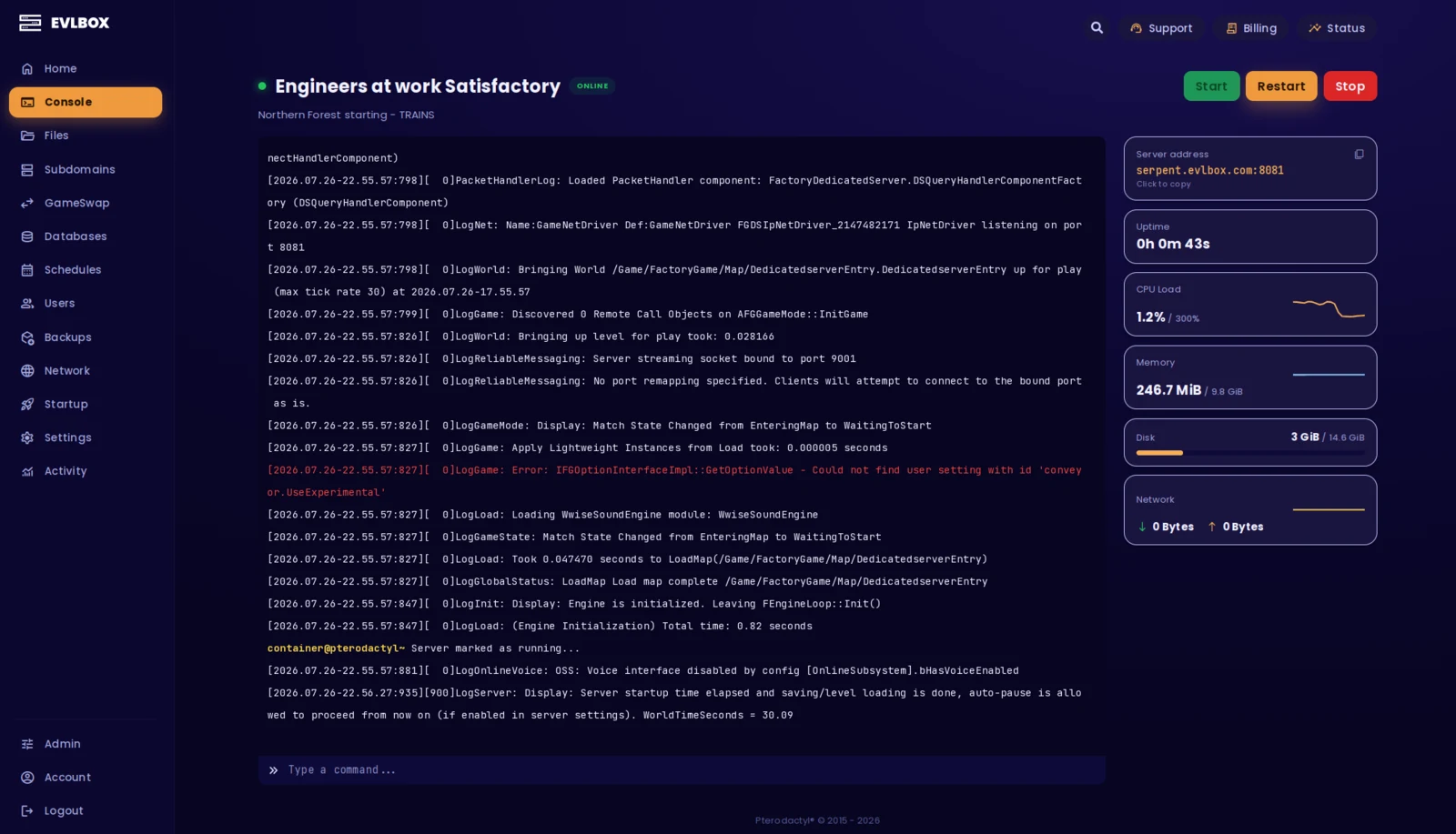
The Nitro Panel
Based on Pterodactyl.io, our control panel is packed with features and style, helping you control your server with ease and precision.
Four Locations
We have three locations throughout the United states, and one based in Falkenstein, Germany. Check your ping against our locations to decide on which is best for your server.

Getting started is easy
Select a Plan
Choose the right plan for your gaming session. This may be based on the number of players joining your server or the amount of resources the game and you will need.
Choose a Location
Depending on where you and your friends are playing from, select a location that is best for you. You can easily check your ping before buying to see the ping time of the connection from your location.
Select a billing Cycle
Choose to pay monthly, or receive a discount on quarterly, semi-annual, or yearly payment plans
Review the Specs
Review the options for Port, Memory and CPU Cores and select different options to customize the server for your gaming experience. Lots of friends joining you? You may want to increase the RAM accordingly.
Pick a Name and Complete your transaction
Name your server so your friends can find and connect to your game easily. Complete your purchase and you will receive an email within minutes with links to your server and Nitro Panel
Customize on the fly
Need to add another Gig of RAM, or add an extra CPU core? You can add/remove resources to your server at any time through our Billing Portal. No server restart needed!
Rated 4.6/5 on Trustpilot
Questions?
How do I host a Project Zomboid Build 42 multiplayer server?
The quick way is to rent one. Order a Build 42 dedicated server from us and it is online in about five minutes, already on the current stable build, ports open and multiplayer ready. You hand your friends the address and the password and they are in, with no player-slot cap deciding how many of them can join. Want to make one yourself instead? The game ships a free dedicated server tool, but the port forwarding, the uptime and the backups all become your problem. Either way, we will move an existing world across for free.
How much RAM does a Project Zomboid server need?
There is no official minimum, which is the honest answer nobody gives you. The server is a Java process and its memory is whatever you set the heap to — the stock start script ships asking for 16GB and the wiki tells you to edit that down before it will even boot. What drives it up is how much of Knox County your group has walked through, because the server keeps explored chunks loaded, and how many mods you run. Player count matters a distant third. 3GB runs a small group staying around one or two towns, 6GB covers a spreading map or a moderate mod list, and 10-12GB is heavy-mod, wide-map, active-community territory. Start at 3GB and add more when the map catches up with you.
How many players can a Project Zomboid server hold?
Project Zomboid has no hard player cap, and we do not add one. We sell memory rather than seats, so nothing on your server is counting your friends or charging you for the empty ones. RAM is the real limit: more people means more of the map loaded at once, which is the same thing that happens when a small group explores a lot. If the server starts feeling heavy, add a gigabyte, not a slot.
What is the best Project Zomboid server hosting?
We are not going to tell you it is us. Ask anyone you are considering the same questions. Do they charge per player slot or per resource — and if they advertise unlimited RAM, who is setting the heap size, because somebody has to. Can you edit the server config and the Workshop mod list yourself, or is that a support ticket. How often do backups run, and are they stored off the machine. Can you add memory without wiping the world. And when a mod update breaks your save on a Friday night, is there a person on the other end. Ask us all of it before you spend anything.
How much does a Project Zomboid server cost?
A Project Zomboid dedicated server from us is $8.99/mo for 3GB of RAM, 2 Ryzen cores and 25GB of NVMe, billed monthly with a discount if you pay quarterly, twice a year or yearly. That is the Dallas price and it buys you a month — not a trial rate, and not the headline number on a plan we would rather you did not buy. Los Angeles and New York cost a little more because the hardware there costs us more, and the configurator shows you the exact figure before you pay. Backups, file access, the panel and mod support are on every server; none of them are upsells.
Where can I host a Project Zomboid server for free?
Two routes, and both charge you something other than money. You can run the free dedicated server tool on your own PC, which means your world is only online while that machine is, your home IP is what your friends connect to, and Zomboid's server wants memory that your game also wants. Or you can take a free trial from a host, which is normally time-limited, memory-limited and wiped when it expires. Free is fine for testing whether your mod list loads. It is not where you put a survivor you have kept alive for three months.
Can I run Build 41 instead of Build 42?
Yes. Build 42.20 went stable on 29 July 2026 and it is what a new server runs by default, but plenty of established communities are staying on Build 41 (B41) because their mod list has not moved yet. Build 41 lives on as the Steam branch called legacy41, and on our panel you set it in the Steam Beta Branch field on the Startup tab: legacy41 for Build 41, or blank for Build 42. Switching reinstalls the server files, so take a backup first and expect the world to want a fresh start if you are crossing between builds. If you would rather we did the switch for you, open a ticket and we will.
If I move to Build 42, do I lose my Build 41 world?
Only if you choose to. Build 41 and Build 42 saves are not cross-compatible, and no host can change that, so pointing a server at the other build gives you a fresh start on that build. What you never have to do here is throw the old world away. Freeze your Build 41 server with GameSwap and it is archived off-server in one piece, ready to restore whenever you want it back. Or download it over SFTP and keep a copy on your own machine for good. Nothing is wiped unless you deliberately pick wipe instead of freeze.
How many GameSwap freeze slots do I get, and when would I want a second?
Every server comes with one free freeze slot, which is all you need to park one build safely while you play the other. If you plan to switch between Build 41 and Build 42 regularly and keep both worlds saved, we suggest adding one paid slot, because freezing your current server needs a free slot for it to land in. With one slot you can hold either build at a time; with two you can keep both at once and flip without ever wiping the one you are on. Extra slots are a small add-on, not a bigger plan tier that also gates other features.
What are the catches with freezing a server, and is my world locked in?
It is not locked in, and we would rather flag the rough edges than have you trip over them. A frozen server is sealed while it is frozen, so you cannot reach in and pull out a single file without restoring it first, which is exactly why we say grab any saves you specifically want before you freeze. Freezing and restoring carry cooldowns and weekly limits, so hopping builds is a considered move rather than a button you mash mid-session. If you delete a freeze, the copy is still recoverable for 48 hours before it is gone for good. And your world is never held hostage. It is downloadable over SFTP any time, and if you cancel you take it with you. Freezing is a convenience we hand you for free, not a lock we put on your save.
Can I install Steam Workshop mods?
Yes, on every plan, with no surcharge and no bigger tier to buy. Your server config is yours to edit from the panel's file manager: paste the Mod IDs and Workshop IDs into the Mods and WorkshopItems lines, start the server, and it downloads the mods from Steam itself. Whole Workshop collections work the same way, and you have full SFTP access if you would rather work locally. Mods are third-party software, so a broken one is not something we can patch, but tell us what happened and we will help you work out which one it was.
Can I move my existing world to your server?
Yes, and we will do it for you at no charge. Send us the save — from another host, or straight out of your own Zomboid folder if you have been playing singleplayer — and we will put it on the server, match up the mod list and settings, and tell you when it is ready. If you would rather do it yourself, you have full SFTP access and the docs walk through it step by step. Either way it costs nothing.
Can I host a Project Zomboid server myself?
You can. If you are looking up how to make a Project Zomboid server yourself, the game ships a free dedicated server tool and the PZ wiki documents it properly, so it is a reasonable option if you are comfortable with port forwarding and editing a start script. What you are paying us for is the part that gets old: a box that stays up when your PC does not, backups that happen whether you remembered or not, an address that does not change on your friends, and somebody to talk to when the server will not start and nobody can tell you why.
How do backups work, and how many do I get?
Every game server we run comes with 12 backup slots, and a save is backed up automatically every 2 hours — set up when your server deploys, so there is nothing for you to configure. Twelve slots on a two-hour schedule gives you a rolling day of restore points, and you can change the schedule or restore any of them yourself from the Nitro Panel. Backups only run while the server is running, so a stopped server is not being backed up. They are stored off-site rather than on your server, so losing the machine does not mean losing Knox County. Take one by hand before you install a mod pack.
What is your refund policy?
Our game servers have a 7 day refund policy. If you are not happy with the service you can cancel within the first 7 days and get a full refund. Refunds are not automatic, so open a ticket with us, either in our Discord or through the client portal, and a person will sort it out. You need to request it within the first month of service. Services that have been in use for a month or have already renewed are not eligible.