 🔥 ENSHROUDED 1.0 IS HERE: servers rebuilt for 1.0, every setting in the panel, and a year of any game on the new Flex plan.
Change the game your server runs.
You're never stuck with the choice you made today.
Turn your Palworld server into a Valheim server in a few clicks. Stash a 500 hour Satisfactory save, go play Project Zomboid with your group, then bring the factory back exactly as you left it.
One server. One bill. Whatever you're all playing this week.
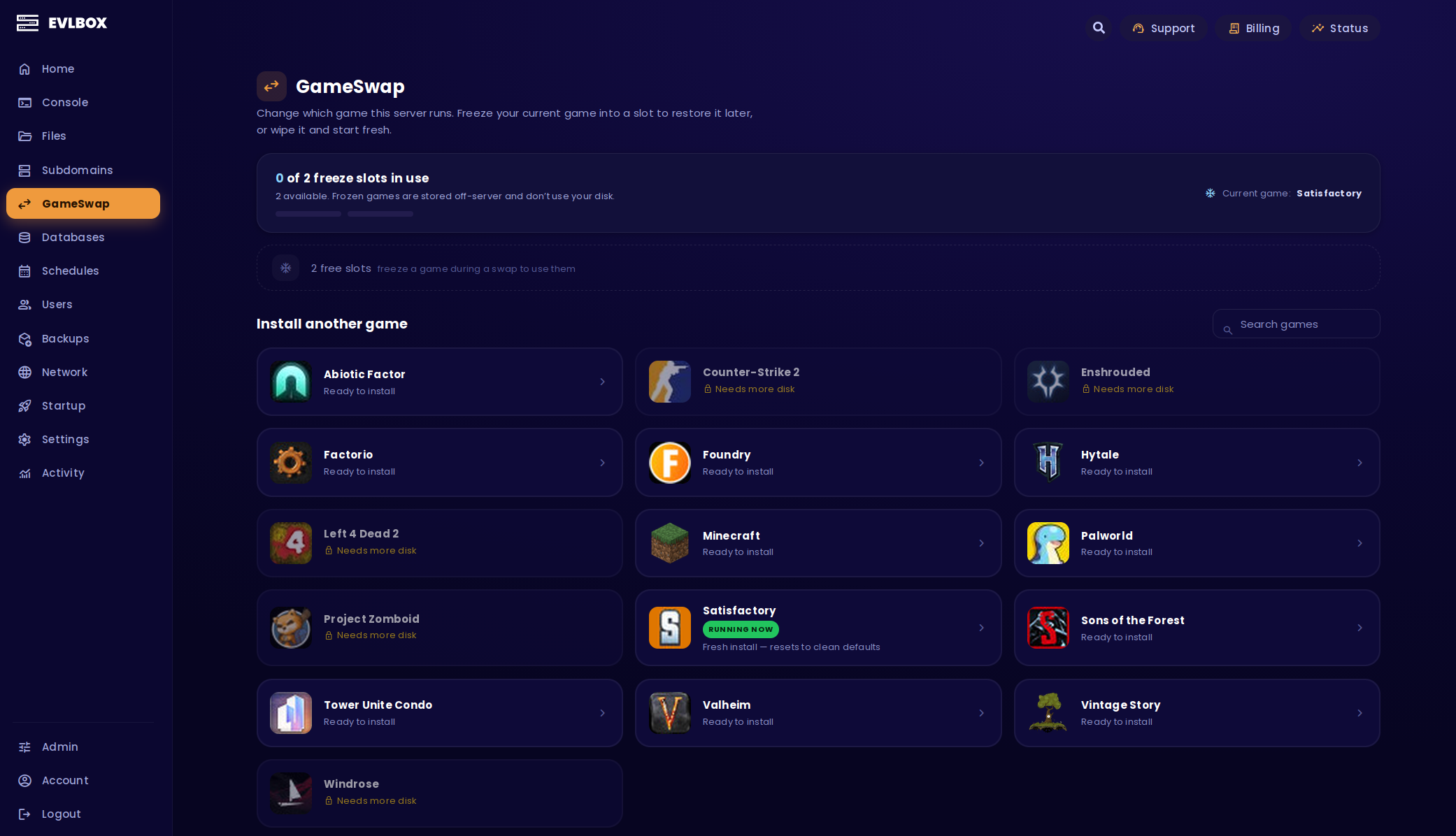
Three clicks and you're in a different game
GameSwap sits right there in your server's sidebar. No ticket, no waiting on us, no second server to pay for.
Pick your next game
Open GameSwap and scroll the catalog. Anything your server has the muscle for is ready to go. Click it.
Freeze it or wipe it
Freeze puts your world on ice: files, saves, mods, settings, all of it parked off your server. Or wipe it, if nobody's going to miss it.
Go and play
Your server stops, the new game installs, and you get a progress screen. Close the tab if you want, it keeps running, and we'll mail you when it's done.
Want the old world back?
Hit Restore and it comes back exactly as you left it. Same builds, same mods, same settings, right where you stopped.
Your first freeze slot is free
A freeze slot is a parking space for a game. Every server gets one, free, for good. That's your main world safe on ice while you go and play something else.
Want two or three worlds parked at once, or no waiting between swaps? Extra slots are a cheap add-on you can grab straight from the GameSwap page.
Frozen worlds live off your server, so they cost you nothing in disk. Your databases and your subdomain are never touched by a swap.
Cooldowns, restores and the rest of the fine print live in the GameSwap guide
GameSwap questions, answered
Can you change the game your server runs?
Yes. GameSwap is built into the Nitro Panel on every EVLBOX server. Pick a different game from the catalog, choose whether to freeze or wipe what you have now, and we install the new one. There's no new order to place and no second bill.
How long does a swap take?
It depends on the size of your server and the game going on next, so the progress screen shows you a rough range rather than a promise. Your server is offline while it runs. You can close the tab and we'll mail you when it's finished.
Do I lose my world when I swap games?
Not if you freeze it. Freezing archives your files, saves, worlds, configs and mods into a freeze slot, stored off your server. Restore it later and it comes back exactly as you left it. Wiping instead erases the current game permanently, which is why we ask you to type a confirmation code first.
Can I switch back to my old game?
Yes. Pick the frozen game, hit Restore, and it comes back exactly as you left it: same builds, same mods, same settings. Restore the wrong one and you have a safety net, because a restored freeze stays recoverable for 48 hours.
Does GameSwap cost anything?
No. GameSwap is included on every server, and every server gets one free freeze slot. Extra slots are an optional add-on if you want several worlds parked at once, or no waiting between swaps.
What happens to my subdomain and databases?
Neither is touched, on either the freeze or the wipe path. Your databases stay exactly as they are with all their data, and your subdomain keeps working. Ports are handled for you as part of the swap.
How often can I swap games?
On the free tier there's a 6 hour wait between swaps and 24 hours between restores, plus a ceiling of a few swaps a day. Buying any freeze slot moves that server to the paid tier: no wait between swaps, and one hour between restores.
Swap between any of these
All of them sit in the GameSwap catalog, and the catalog tells you which games fit before you click. Anything your server has the room for is marked ready to install.
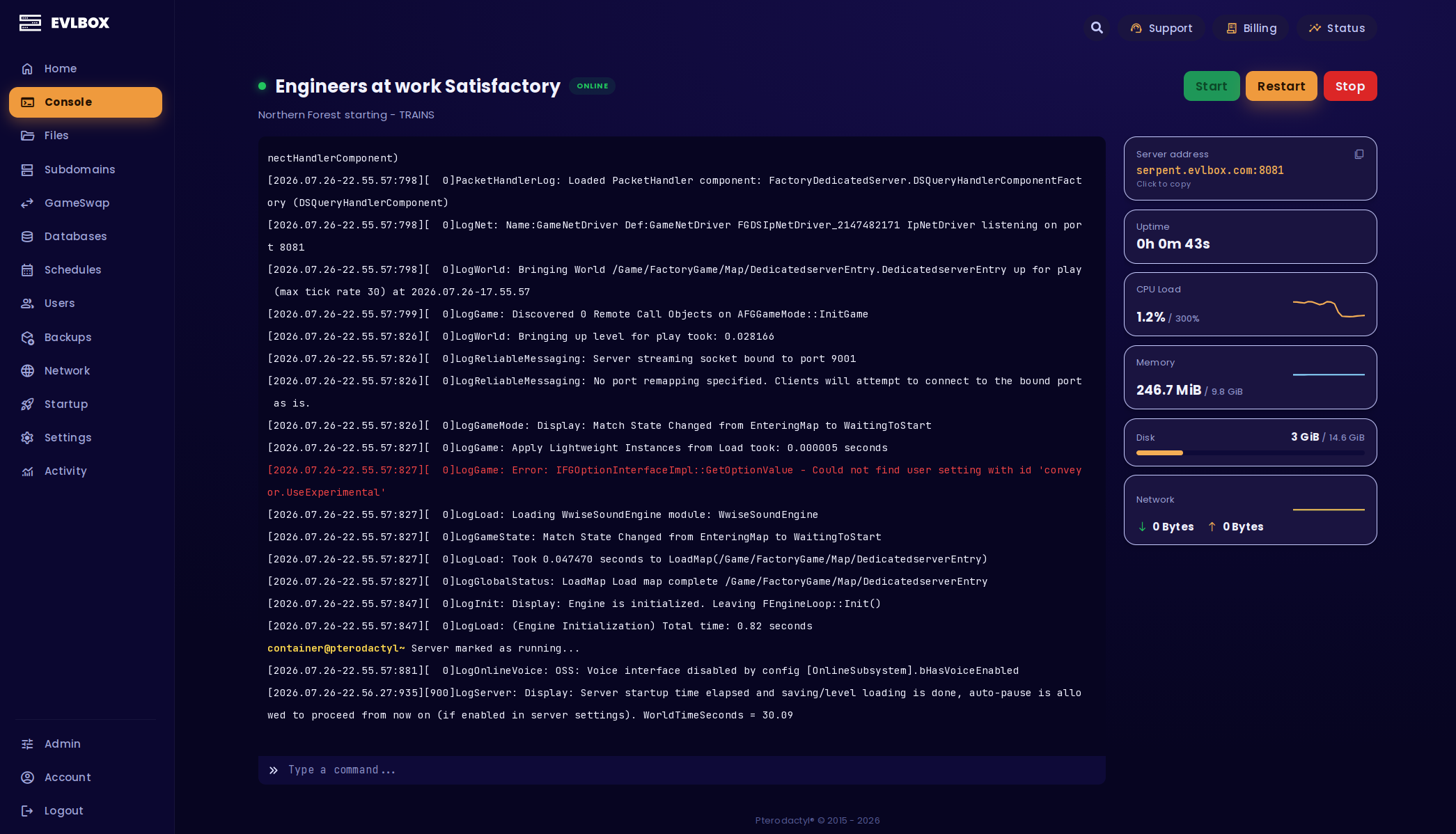
This is Nitro
GameSwap is the headline. It lives inside a panel we've been sharpening for years, freshly reskinned, and built so the stuff other hosts make you open a ticket for is just a button you press.
Backups that run themselves. Support that turns up already knowing what's wrong. Mods installed without a single upload. All on the same server, at no extra cost.
Managed Backups
Automatic from the second your server exists. Saves and configs copied off-site, on a schedule that scales with your plan.
If a machine dies or a location drops off the network, we move you somewhere else and put your world back. These are backups we actually test.
Support Beacon
Write what's wrong into your settings file and save it. Within minutes you get a support code and a confirmation email.
Open a ticket, paste the code, skip the twenty questions. We already know which server it is, what state it's in, and what you said was broken.
Server Settings File
One small file in your file manager. Pause or slow your backups, exclude the folders you don't care about. No ticket, no second dashboard, no extra login.
It survives a full reinstall, and if you break the file your old settings stay in force.
Server Care
Crashes, restarts and out-of-memory hiccups ride along with your Support Beacon, so nobody starts from a blank page.
"Is it mods? Do I need more RAM?" gets a real answer instead of a guess. No upsell, just a team that actually looks.
Modpack Manager
Curseforge, Modrinth, FTB, Technic and Voidswrath, all searchable from the panel. Pick a pack, hit install.
It sorts out the right Java version on its own.
Simple Adjustments
Java version, Minecraft version, the name of your .jar. Change them in a dropdown, or upload your own jar through the file manager.
Subdomains, scheduled tasks and shared access are all a click away, so you can hand a mate control without handing over your password.
One server. Whatever you're playing.
Pick a game to start with. GameSwap and your first freeze slot are already included, and the catalog is right there in the panel when you fancy something else.