 🔥 ENSHROUDED 1.0 IS HERE: servers rebuilt for 1.0, every setting in the panel, and a year of any game on the new Flex plan.

Sons of the Forest Server Hosting
Host a Sons of the Forest dedicated server and keep your world running 24/7. Your squad can drop in anytime without waiting for a host. EVLBOX gives you Ryzen CPU cores, NVMe storage, and automatic backups so you can focus on surviving the forest, not managing a server.
Why Host a Sons of the Forest Dedicated Server?
Rated 4.6/5 on Trustpilot. Here's why players run their SOTF servers with us.
Always-On World
Your island stays live 24/7. Friends join whenever they want without waiting for a host to log in. Progress is never lost when someone disconnects.
Better Performance
The game's cannibal AI patrols and companion systems are CPU-intensive. A dedicated server handles that load separately from any player's machine, keeping gameplay smooth for everyone.
DDoS Protection
All four server locations include DDoS protection. Your server stays online and your home IP stays private, unlike self-hosting where your IP is exposed.
Automatic Backups
Your world is backed up automatically to off-site storage. If anything goes wrong, restore a previous save in seconds from the Nitro panel.
Plans from $13/mo
8GB RAM
Up to 8 playersNeed more power for a larger group? Talk to our team about custom configurations.
Sons of the Forest Server Requirements
What does a SOTF dedicated server actually need to run well? Here's the breakdown.
RAM
8GB is the recommended minimum for Sons of the Forest. This comfortably supports the full 8-player cap, AI companions, cannibal patrols, and player-built structures. Our plan includes exactly 8GB of DDR4 memory.
CPU
Sons of the Forest simulates cannibal AI behavior, companion actions (Kelvin and Virginia), weather, and player interactions server-side. This is CPU-heavy work. Our plan includes 2 dedicated Ryzen vCPU cores to keep tick rates stable even with a full lobby and active enemy encounters.
Disk Space
The server install plus save files fit well within 15GB of NVMe SSD storage. Save files grow as you build, but even complex bases with extensive construction stay well within this limit. NVMe means fast world loads and quick restarts.
Network
Low ping keeps combat responsive and building smooth. Our servers sit on premium network routes across 4 locations. Pick the one closest to your group for the best experience. All locations include DDoS protection.
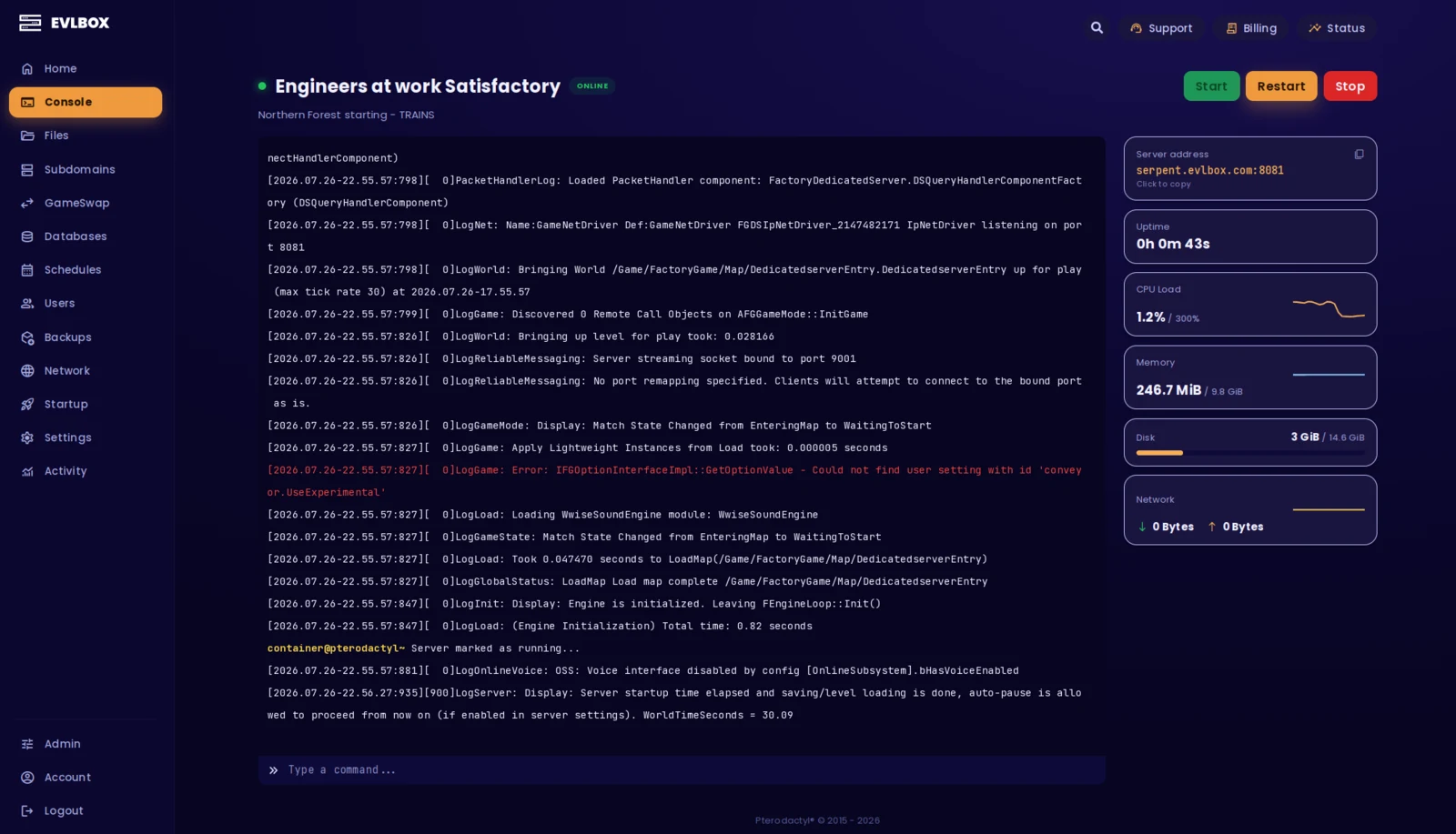
The Nitro Panel
Based on Pterodactyl.io, our control panel is packed with features and style, helping you control your server with ease and precision.
Sons of the Forest Server Features
Everything included with your Sons of the Forest dedicated server.
Save Management
Upload your existing single-player or multiplayer saves through the Nitro panel. Download server saves anytime to continue playing locally. Full save portability.
Automatic Backups
Your world is backed up automatically while the server runs. Backups are stored off-site so your progress is safe even against hardware failures. Restore any backup from the panel.
Server Settings
Configure difficulty, spawn rates, tree regrowth, enemy types, and more through the server config files. Accessible directly from the Nitro panel's file manager.
AI Companions
Kelvin and Virginia work on dedicated servers just like single-player. They follow commands, gather resources, and fight alongside your group. Their AI runs server-side for consistent behavior.
World Persistence
Your bases, traps, and progress stay exactly where you left them. The server keeps the world alive even when all players are offline. Log back in and everything is right where you left it.
Admin Controls
Manage player permissions, assign admin rights, and control who can join your server. Full server administration through both in-game commands and the Nitro panel.
Four Locations
We have three locations throughout the United states, and one based in Falkenstein, Germany. Check your ping against our locations to decide on which is best for your server.

About Sons of the Forest
New to the game? Here's what you need to know.
Sons of the Forest is a survival horror game developed by Endnight Games, and the sequel to The Forest. You're sent to find a missing billionaire on a remote island and quickly discover it's overrun by cannibals and mutants. Build shelters, craft weapons, explore caves, and try to survive with up to 7 friends in multiplayer.
What sets it apart is the AI companion system. Kelvin and Virginia are NPCs that respond to commands, help gather resources, and fight alongside you. They have their own behaviors and react to what's happening in the world. Combined with an aggressive cannibal AI that adapts to your play style, the game creates unpredictable encounters that keep every session tense.
Multiplayer is where the game really shines. Coordinating base defense, splitting up to explore, and building together makes survival far more manageable and a lot more fun. A Sons of the Forest dedicated server means your group's island stays live around the clock. No one has to be the host, progress is never tied to one player's connection, and everyone gets better performance because the server handles the heavy AI simulation independently.
Need Help Getting Started?
Check out our guides and resources for Sons of the Forest
How to Connect
Learn how to join your new Sons of the Forest dedicated server from the in-game menu.
Read Guide →Transfer Saves
Upload your singleplayer or existing multiplayer saves to your dedicated server.
Read Guide →Getting started is easy
Select a Plan
Choose the right plan for your gaming session. This may be based on the number of players joining your server or the amount of resources the game and you will need.
Choose a Location
Depending on where you and your friends are playing from, select a location that is best for you. You can easily check your ping before buying to see the ping time of the connection from your location.
Select a billing Cycle
Choose to pay monthly, or receive a discount on quarterly, semi-annual, or yearly payment plans
Review the Specs
Review the options for Port, Memory and CPU Cores and select different options to customize the server for your gaming experience. Lots of friends joining you? You may want to increase the RAM accordingly.
Pick a Name and Complete your transaction
Name your server so your friends can find and connect to your game easily. Complete your purchase and you will receive an email within minutes with links to your server and Nitro Panel
Customize on the fly
Need to add another Gig of RAM, or add an extra CPU core? You can add/remove resources to your server at any time through our Billing Portal. No server restart needed!
Rated 4.6/5 on Trustpilot