
Windrose Server Settings
Windrose has two layers of configuration:
- Common server settings live in
R5/ServerDescription.jsonand are exposed in the Nitro panel’s Startup tab. These cover invite code, password, server name, and max players. - Per-world settings (difficulty preset, mob/ship multipliers, combat difficulty) live in a
WorldDescription.jsonfile inside each world’s save folder. Those are covered in World & Save Management.
Startup tab
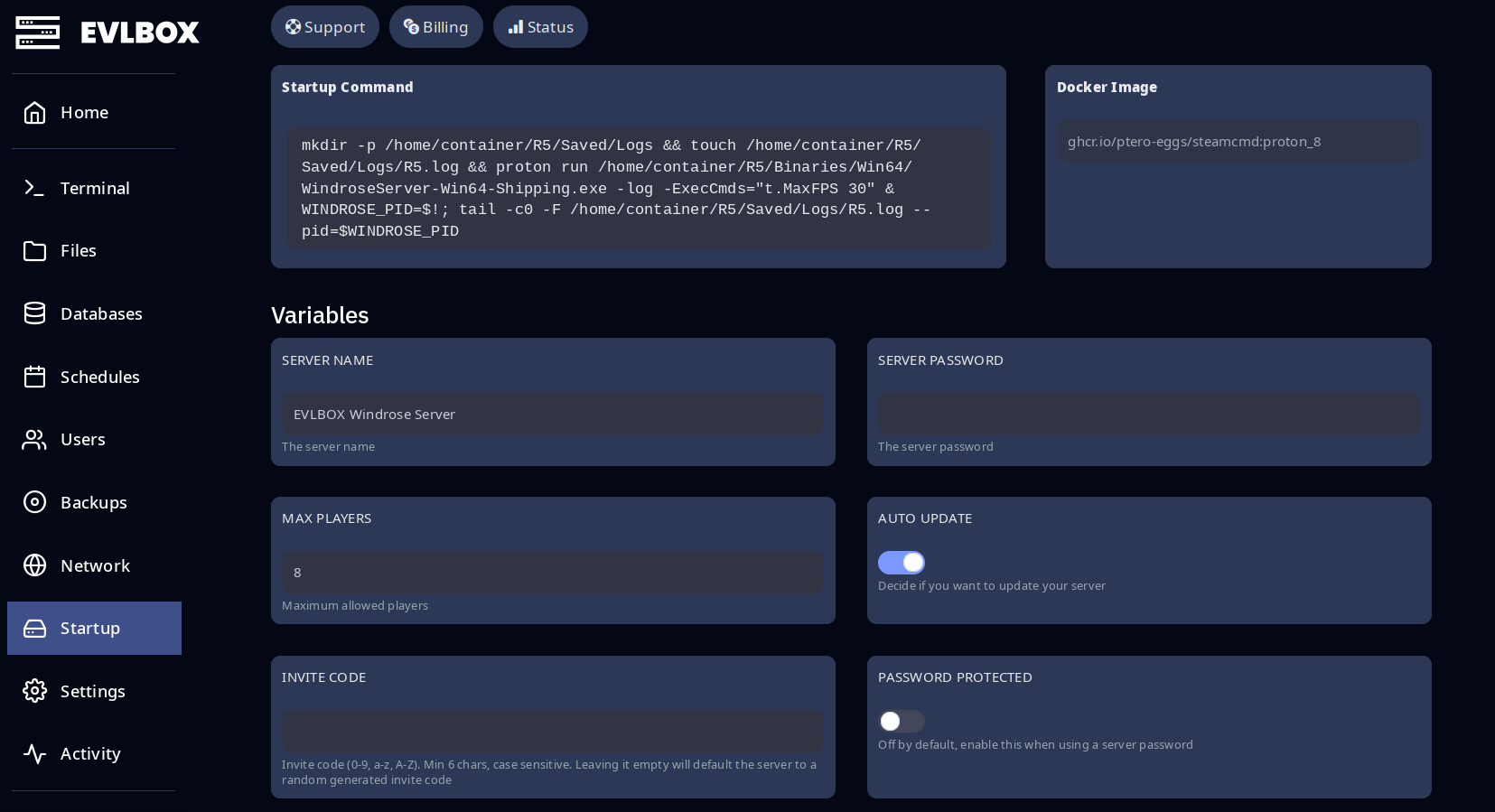
Section titled “Startup tab”Almost everything you’ll change is here. Stop the server, edit the field, then start the server for changes to apply.
| Field | What it does |
|---|---|
| Server Name | Display name for the server. Up to 40 characters. |
| Server Password | Optional password. Players are prompted on connect. Up to 30 characters. |
| Max players | Maximum simultaneous players. |
| Auto Update | When On, SteamCMD checks for an update on every server start and installs it before the world boots. Leave on unless you have a reason not to. |
| Invite code | 6+ characters, 0-9 a-z A-Z, case-sensitive. Leave blank for an auto-generated code. |
| Password Protected | Must be On for the Server Password field to take effect. Off by default. |
Updating the server
Section titled “Updating the server”Updates are automatic. With Auto Update on (the default), SteamCMD checks for a new Windrose dedicated server build every time the server starts. If one is available it installs before the world boots — so to update, just Restart the server from the panel.
Advanced: ServerDescription.json
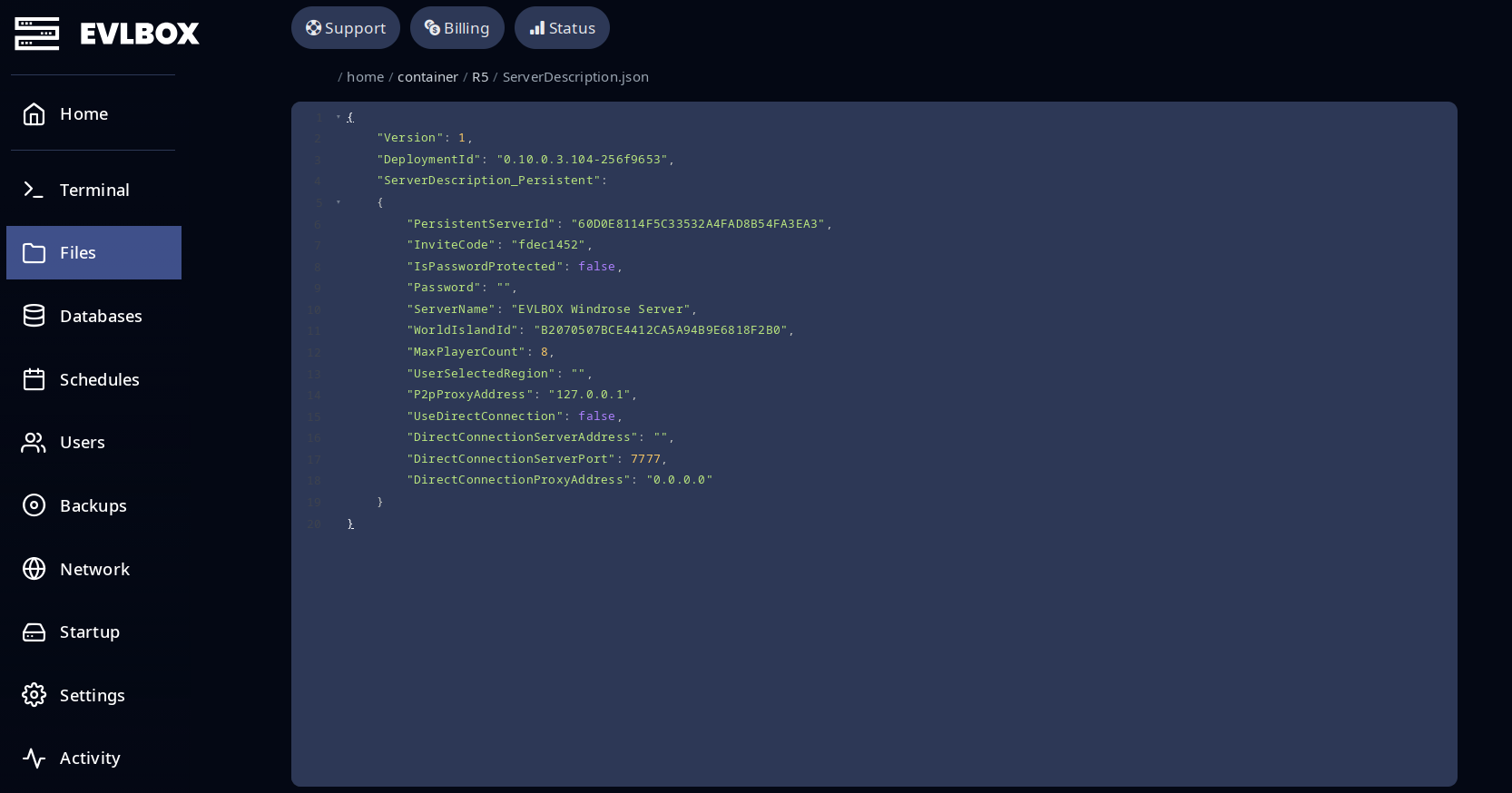
Section titled “Advanced: ServerDescription.json”The Startup tab fields above write to R5/ServerDescription.json. You can open the file directly via the Files tab in the Nitro panel:
| Field | Description |
|---|---|
PersistentServerId |
Unique server ID. Don’t edit. |
InviteCode |
Same as the Startup tab field. |
IsPasswordProtected |
true or false. Mirrors the Startup toggle. |
Password |
The server password. |
ServerName |
Display name. |
WorldIslandId |
ID of the world to load. Must match a folder under Worlds/. See World & Save Management. |
MaxPlayerCount |
Max simultaneous players. |
P2pProxyAddress |
Listening socket address. Locked on EVLBOX — don’t change. |
Example ServerDescription.json:
{ "Version": 1, "ServerDescription_Persistent": { "PersistentServerId": "1B80182E460F...", "InviteCode": "d6221bb7", "IsPasswordProtected": false, "Password": "", "ServerName": "The Salty Brigade", "WorldIslandId": "DB57768A...", "MaxPlayerCount": 8, "P2pProxyAddress": "127.0.0.1" }}Have a crew but no server? Grab a server here.