
Server Maintenance
This guide covers updating your server, switching versions, and setting up automatic restarts.
How to Update Your Server
Section titled “How to Update Your Server”When a new version of Vintage Story is released, you can update your server through the EVLBOX panel.
- Log in to the EVLBOX panel and stop your server.
- Go to the Startup tab.
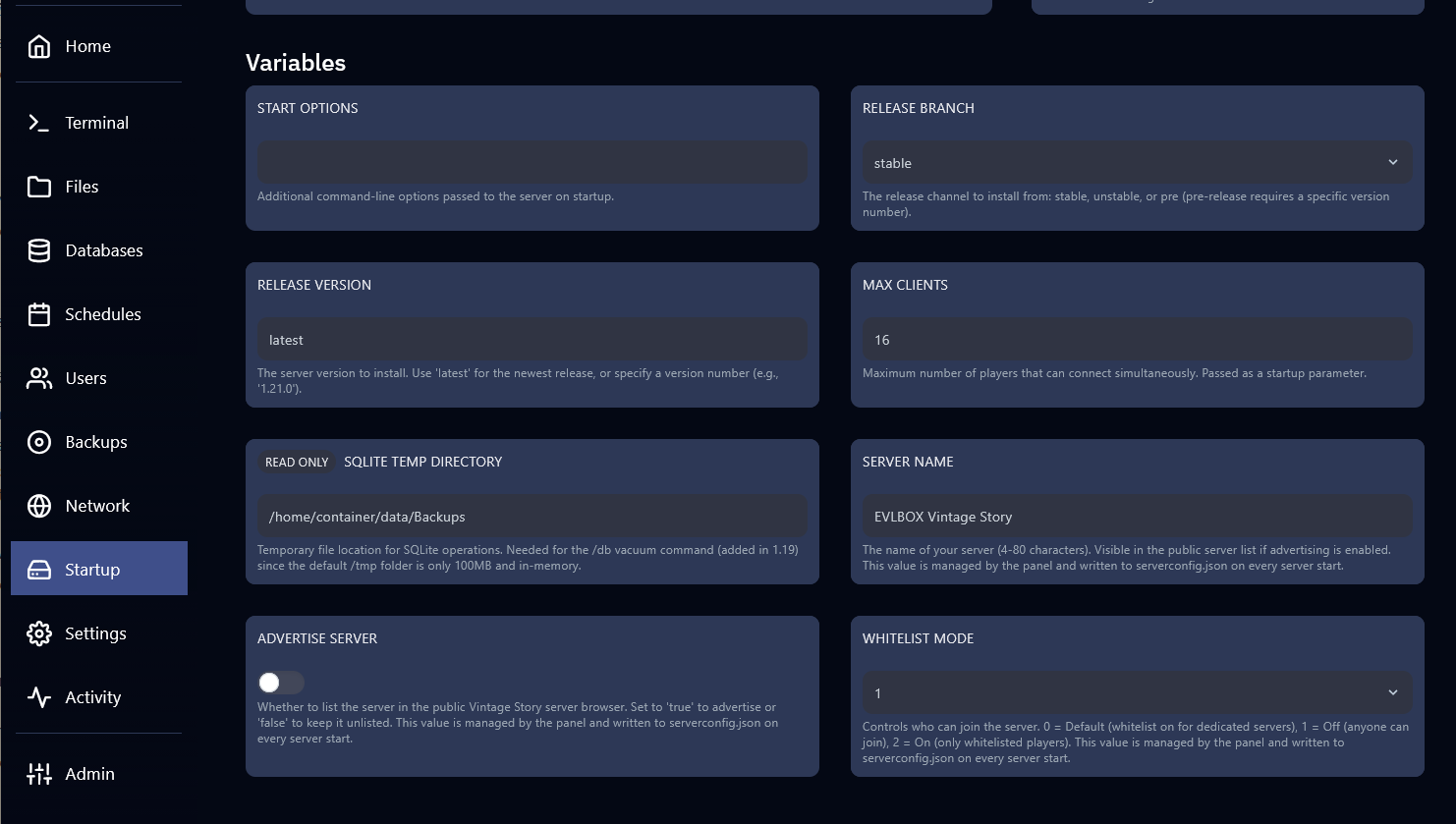
- Confirm the Release Version is set to
latestand the Release Branch is set tostable. - Go to Settings and click Reinstall Server.
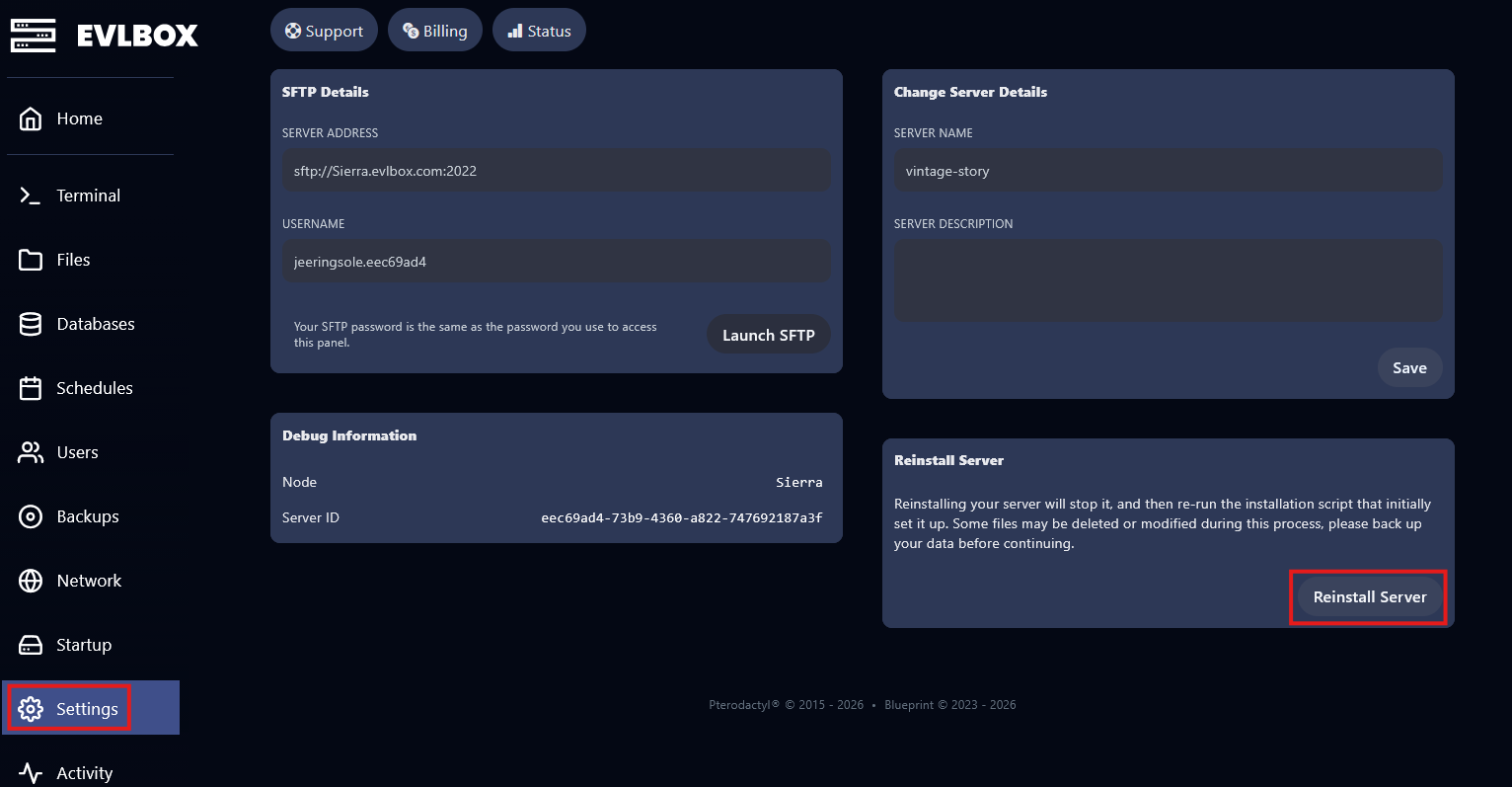
- Wait for the installation to complete, then start your server.
How to Change the Server Version
Section titled “How to Change the Server Version”If you need a specific version of Vintage Story (e.g., for mod compatibility):
- Stop your server in the EVLBOX panel.
- Go to the Startup tab.
- Change Release Version from
latestto the specific version number (e.g.,1.20.7). - If you need a pre-release or unstable build, change Release Branch to
unstableorpre. - Go to Settings and click Reinstall Server.
- Wait for the installation to complete, then start your server.
How to Set Up Scheduled Restarts
Section titled “How to Set Up Scheduled Restarts”Regular restarts help keep server performance stable. You can configure automatic restarts through the EVLBOX panel’s scheduling system.
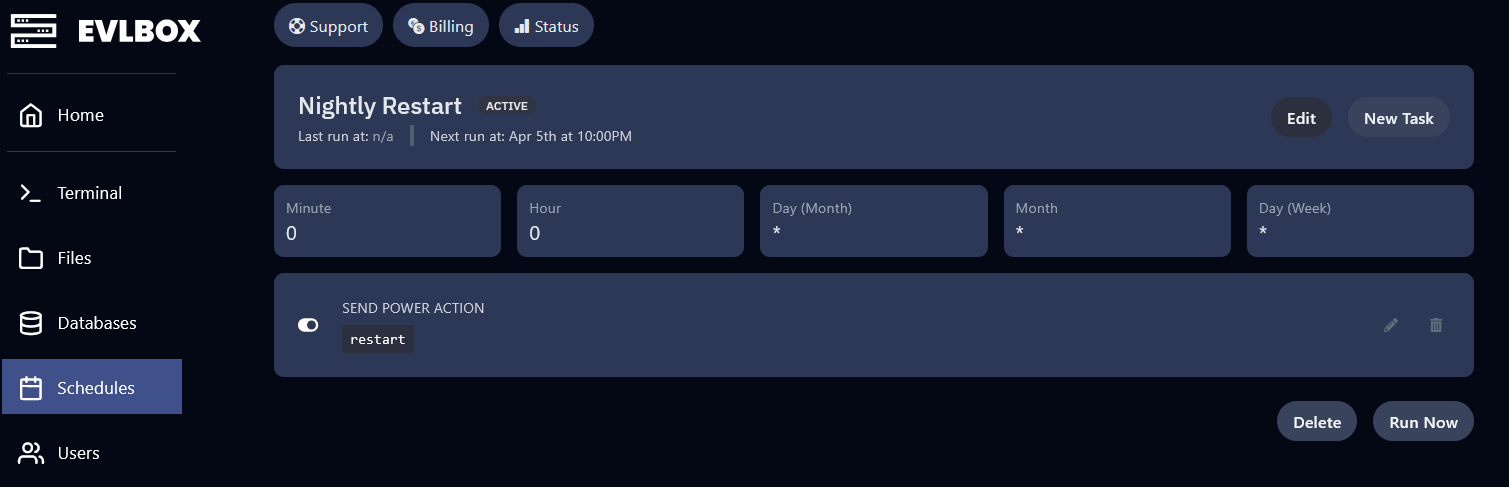
- In the EVLBOX panel, go to the Schedules tab.
- Click Create Schedule.
- Set the schedule name (e.g., “Daily Restart”) and configure the timing. For a daily restart at 4:00 AM:
- Minute:
0 - Hour:
4 - Day of Month:
* - Month:
* - Day of Week:
*
- Minute:
- Add a task to the schedule and set the action to Restart the Server.
- Save the schedule.
Useful Console Commands
Section titled “Useful Console Commands”| Command | Description |
|---|---|
/announce <message> |
Broadcast a message to all connected players |
/autosavenow |
Force-save the current world state |
/genbackup [filename] |
Create a backup of the current save in the Backups folder |
/stop |
Gracefully shut down the server |
/info |
Display server information |
/stats |
Show server performance stats |
/list |
Show connected players, banned players, roles, or privileges |
/op <player> |
Grant admin privileges to a player |
/kick <player> [reason] |
Kick a player from the server |
/ban <player> <duration> [reason] |
Ban a player from the server |
/serverconfig |
Read or change server configuration values at runtime |
/help |
List all available server commands |